
Check Under-Desk Storage Fit on a Standing Desk
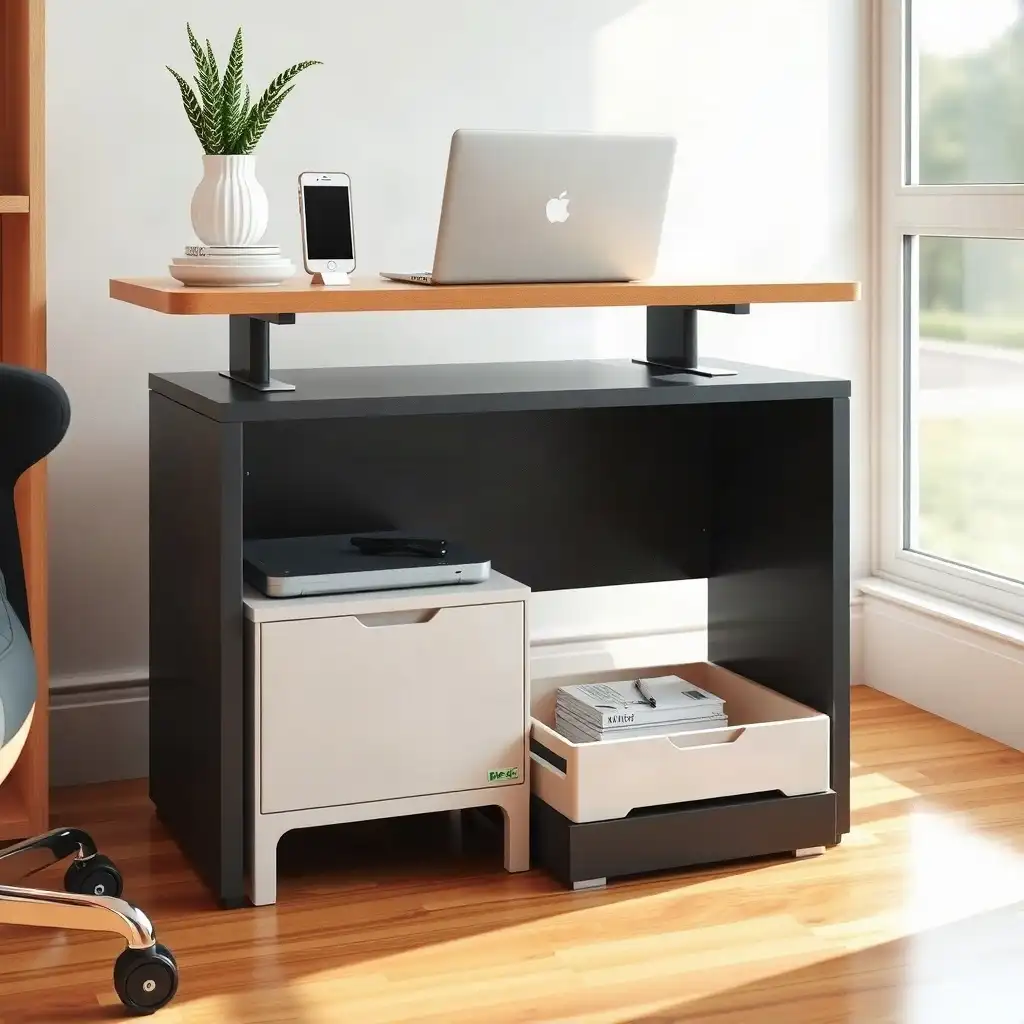
Choosing the right under-desk storage for a standing desk is important for an efficient and organized workspace. Measure the height, depth, and clearance under the desk to find suitable storage options that do not obstruct movement or functionality. Consider adjustable or modular solutions for easy access to frequently used items. This approach boosts productivity while maintaining a tidy space that adapts to changing work habits.
Assessing Desk Clearance for Storage
Begin your assessment by checking the clearance under your standing desk. Measure the height and the space available from front to back and side to side. This will help you find storage solutions that won’t block movement or interfere with the desk’s mechanisms as it adjusts in height. Before securing cords, plan cord movement allowance and leave enough slack for the desk’s full height range.
Storage Considerations
Pay attention to how far below the desktop surface you can store items without causing issues when switching positions. Look for options that allow easy access while keeping a clear view underneath your workspace. A tidy area boosts productivity and comfort, making it important to find storage solutions designed specifically for this setup.
Identifying Attachment Points
As you optimize your standing desk setup, consider the available spots for under-desk storage solutions. These areas are essential for securing storage units without impacting desk functionality. Look for existing holes, brackets, or mounting features provided by the manufacturer; these will guide your choices and installation. Choose an outlet location that keeps plugs within reach and cords clear of the frame’s moving parts.
When checking attachment points, remember that not all desks have the same compatibility, refer to your specific model’s manual to understand its strengths and weaknesses. Ensure any storage solution fits well with these mounting areas while allowing space for movement as you adjust the desk height. This careful approach prevents interference during use and keeps everything operating smoothly as you switch between sitting and standing throughout the day.
The Pros & Cons of Under-Desk Storage Solutions
Pros
-
Under-desk storage makes your workspace more efficient by using space that usually goes unused.
-
It helps keep things organized, cutting down on clutter and helping you focus better.
-
You can customize storage solutions to fit specific desk models, which boosts their functionality.
-
There are many options available that won’t interfere with the height adjustment of your desk.
-
When installed correctly, storage can enhance the overall weight capacity of the desk while maintaining stability.
-
It allows easy access to items you use often, making your workflow smoother.
Cons
-
If the storage doesn’t match your desk model or design, you might face compatibility issues.
-
Installing it incorrectly can interfere with moving parts and could damage either the desk or the accessory.
-
If you don’t calculate correctly, the added weight from storage and its contents may exceed what the desk is rated to hold.
-
Some under-desk storage options need careful measuring and planning, which can take up a lot of time.
-
Certain desks have limited space underneath that might limit your choices for effective storage solutions.
-
A mismatch in style between your desk and storage solution can disrupt a cohesive look in your office design.
Checking for Moving-frame Interference
As you plan, consider how your standing desk and any storage underneath will work together. First, check how the desk frame moves, does it go up and down freely? Look for spots where a drawer or shelf might obstruct the desk’s adjustment. Ensure there’s enough space for cables along the bottom so they won’t get pinched or tangled when changing heights.
Also, evaluate whether storage options will fit well with your desk’s moving parts. Some desks have crossbars or supports that can limit space for attachments. By understanding these factors before setup, you’ll avoid frustrating issues and create an efficient workspace.
###
Load Considerations for Under-desk Storage
Understanding load considerations is important when choosing under-desk storage for a standing desk. Check the weight limits in your desk’s manual, as each model has specific capacity ratings indicating how much weight can be safely stored underneath. Exceeding these limits can cause stability issues or damage over time.
Consider what items you plan to keep there. Lightweight organizers like baskets and small bins are good options, but ensure they do not exceed recommended load capacities. If storing heavier items, like a printer or books, check their total weight against your desk’s specifications before placement.
Height Adjustments and Stability
Be aware that loads might shift when adjusting height; this movement could lead to instability if not secured properly. Distributing weight evenly across your chosen storage solution helps maintain functionality and safety while transitioning between sitting and standing throughout the day.
Material Choices Matter
Different materials have varying strengths; choosing durable yet lightweight options will improve usability without sacrificing structural integrity beneath your workspace while maintaining an organized environment that supports productivity.
Maximize Space: Optimize Your Under-Desk Storage
| Consideration | Description |
|---|---|
| Clearance | Ensure there is adequate space under the desk for storage solutions without obstructing the desk’s movement. |
| Attachment Points | Check the designated areas on the desk frame where storage can be securely attached, ensuring compatibility with the desk’s design. |
| Moving-Frame Interference | Assess how under-desk storage may interfere with the desk’s moving parts during height adjustments. |
| Load Considerations | Evaluate the weight limits of both the standing desk and the storage solution to avoid exceeding capacity and compromising stability. |
| Desk Type | Differentiate between motorized and hand-operated desks, as this affects the installation and use of under-desk storage options. |
| Manufacturer Guidelines | Refer to specific manufacturer manuals for recommendations regarding fasteners, mounting compatibility, and any unique installation instructions. |
Choosing Appropriate Storage Solutions
When choosing under-desk storage solutions, consider your needs and available space. Look for options that fit your desk’s size and suit your daily use. Drawers or shelves should be easily accessible to grab important items quickly while sitting or standing.
Focus on designs that offer flexibility; modular components can adapt as your workspace changes. Storage units with adjustable heights or interlocking features allow customization based on your work style, whether standing during calls or sitting for focused tasks.
Don’t forget about style; choose finishes and colors that complement your office decor to create a welcoming environment for productive work. A good storage solution combines function and style, enhancing organization and satisfaction in your workspace.
Also, consider the installation process, some products may require tools while others need only clamps or adhesive mounts. Ensure any unit doesn’t obstruct mechanisms like cable management systems, which are essential for maintaining an efficient setup as you move between positions throughout the day.
By considering these factors along with your personal preferences and workflow needs, you’ll find under-desk storage solutions that enhance comfort and efficiency in your home office.
Maximizing Workspace Organization
To optimize your workspace organization, start by arranging items under your standing desk. Sort items by frequency of use. Keep frequently needed items within easy reach, designate a drawer for essentials like notebooks and pens, while storing less-used supplies in deeper storage or out of sight.
Use Vertical Space Wisely
Take advantage of vertical space: stacking bins or using tiered shelves can create more room without cluttering the area underneath.
Label Everything
Use labeled containers to quickly identify and grab what you need, making work sessions more efficient. Transition from messy piles to organized sections; this change reduces visual distractions and boosts productivity. Consider color-coding systems or clear boxes to make finding supplies quick and simple.
This proactive approach ensures that your under-desk setup not only holds items but also maintains an organized workflow that supports creativity and focus as you switch between sitting and standing throughout the day.
Exploring Under-Desk Storage Secrets and Myths
-
Many people think that any under-desk storage solution will fit with a standing desk, but it's important to check how it matches the desk's fixed and moving components before choosing one.
-
It’s common to assume there is enough space under the desktop for accessories, but frame rails, crossbars, and other structural elements can limit what you can fit there and where you can place your storage.
-
A popular belief is that once you secure storage to the desk, it will work fine while adjusting the height; yet, moving parts might obstruct it, so inspecting carefully during adjustments is necessary.
-
Some users may believe that a standing desk's rated capacity applies equally across all setups, but each desk has different load limits depending on its design along with the desktop and attached accessories. You need to consider weight distribution carefully.
-
There’s an idea that any method of attachment works for mounting under-desk storage; yet, every desk has specific guidelines regarding suitable fasteners and mounting points. It's crucial to consult manufacturer manuals for accurate details.
Sustainable Material Options
Sustainability is an important factor when selecting under-desk storage solutions. Choose eco-friendly materials that reduce environmental impact while remaining durable and functional. Look for products made from recycled materials or sustainably sourced wood to align your workspace with green practices. Consider how these items are made, companies focused on sustainability often use low-emission methods and environmentally friendly finishes, which improve indoor air quality.
Material Selection
to material choice, pay attention to the lifespan of your storage solutions. Choose items built to last instead of throwaway options that will fill landfills. Many brands now offer modular designs that can be easily adjusted as your needs change, reducing waste while enhancing usability. This strategy supports sustainability and provides flexibility in setting up your workspace, allowing you to make smart choices for both productivity and the environment.
Practical Installation Tips
When you’re ready to install, be clear and precise. First, gather all necessary tools, screwdrivers, measuring tape, or specific hardware for your under-desk storage solution. Before starting, read the manufacturer’s instructions carefully; each system has unique installation guidelines essential for proper performance.
Consider clearance during installation. Measure multiple times before securing anything, this helps avoid costly mistakes. If using clamp-on designs instead of screws, ensure they fit tightly without putting excessive pressure on desk components or cables underneath.
Also, consider getting an extra pair of hands to assist with assembly; having help can make positioning easier and reduce potential misalignments as you set up your units.
As you attach storage solutions like drawers or shelves beneath your standing desk frame, test their functionality periodically throughout the process. This ensures smooth operation when adjusting height settings after installation. This proactive approach saves time and effort later by ensuring everything works well whether you’re sitting or standing at work.
Optimize Your Workspace Efficiently
Enhancing workspace efficiency involves creating a space that boosts productivity and comfort. Start by evaluating how your under-desk storage contributes to a smooth workflow. Items used frequently should be easily accessible, while less important materials can be stored further away or in deeper units. The setup under your desk should allow for movement without feeling cluttered, enabling easy transitions between sitting and standing.
Consider using vertical solutions; stacking bins or tiered shelves can maximize the space below your desk without crowding it. This approach clears room and keeps everything visible, saving time when searching for supplies during busy work sessions. Use labeling systems or color-coded containers to quickly identify contents, this detail can improve focus when switching tasks.
Consider how this organized setup aligns with your personal style and overall design in your home office. A visually appealing workspace makes daily tasks more enjoyable and encourages tidiness over time. By arranging under-desk storage with these ideas, you’ll create an efficient environment that supports various workflows, whether brainstorming while standing or focusing while seated.
FAQ
What should I measure to ensure my under-desk storage fits my standing desk?
Measure the space beneath the desktop and consider attachment points and the weight of the storage and its contents.
How do I identify suitable attachment points for my storage accessory?
Check the manuals for both the desk and accessory to confirm compatibility and ensure the mounting surface is suitable.
What potential interferences should I check for when my desk moves?
Check for interferences like frame parts, supports, the floor, nearby furniture, and items stored under the desk when it shifts.
How do I account for the added weight of storage and its contents on my standing desk?
Check the manual for your standing desk’s rated capacity and include the combined weight of the desktop and any attached items.
What steps should I follow before finalizing my under-desk storage arrangement?
Before finalizing your under-desk storage setup, check compatibility, measure the space, identify obstacles, verify mounting locations, inspect for height adjustment interference, and confirm total weight limits.
Where can I find guidance if the manuals do not answer my fit or attachment questions?
Contact the manufacturer for assistance with compatibility and installation if the manuals do not answer your questions about fit or attachment.