
How Electric and Manual Standing Desks Work
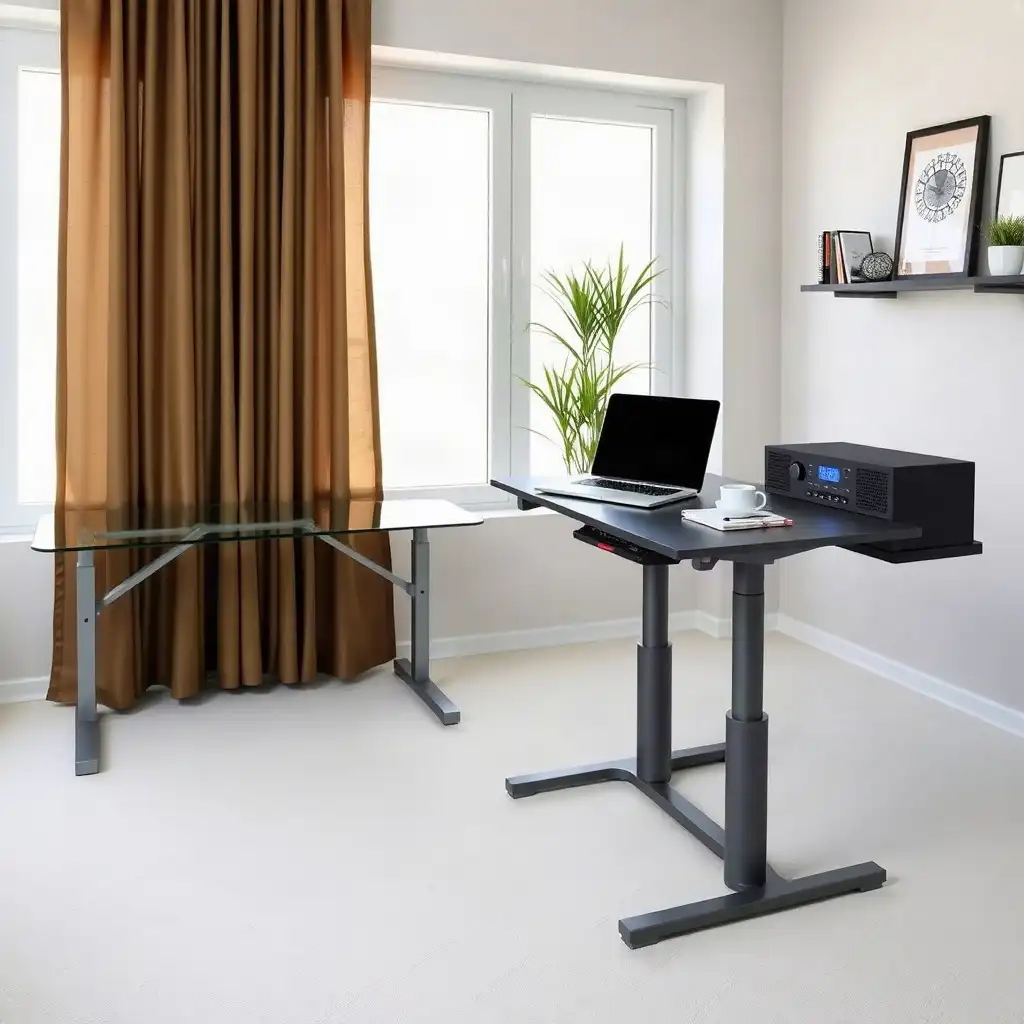
Standing desks improve comfort and posture. Electric standing desks adjust height with a motor at the push of a button, allowing easy switching between sitting and standing. Manual standing desks require physical adjustment using hand-cranks or levers, offering more control over workspace setup. Both types enhance posture and reduce sitting time, helping users create healthier work environments.
Understanding the Mechanics of Electric Desks
Electric standing desks use a motor system that allows easy height adjustment. With a button press, you can raise or lower the desk at various speeds to suit your preferences. Many models feature collision detection sensors to prevent damage in tight spaces. Each model has its own load capacity and range of motion, so check the manufacturer’s guidelines for optimal performance.
The desks require electricity, so place them near power sources while considering electrical safety. Manage cables carefully; loose cords can get caught or create obstacles during movement. Overall, electric standing desks offer convenience and design features that enhance workplace ergonomics without compromising safety or efficiency. A motorized desk needs mains power to raise or lower; controller behavior when unplugged varies by model.
Exploring Hand-operated Desk Systems
Hand-operated desk systems offer a way to adjust height using mechanical parts instead of electrical ones. These desks typically have hand-cranks or levers that users move manually to set the desired height. While this may seem less convenient than electric models, many users appreciate the control and satisfaction of physically changing their workspace. The simple design means fewer electronic components, leading to lower maintenance issues over time.
When adjusting the desk manually, it is important to be aware of its load capacity and range; exceeding these limits can affect performance or cause damage. Regular checks help keep moving parts lubricated and functional, ensuring safety and longevity. Users may also value how manual systems encourage active participation in their work environment, promoting physical movement and engagement with their setup.
Hand-operated desks often cost less while still providing key ergonomic benefits like promoting standing throughout the day. By considering placement and using proper techniques, like ensuring enough space when adjusting heights, they serve as effective alternatives for anyone looking to improve workspace ergonomics without relying on electricity.
Hand-operated Desk Systems: an Overview
Hand-operated desk systems provide an alternative approach for those who prefer mechanical adjustments over electrical options.
Benefits
1. Control: Users manipulate levers or cranks.
2. Simplicity: Fewer electronic parts reduce maintenance concerns.
3. Engagement: Encourages interaction with your workspace setup.
Considerations
1. Load Capacity Awareness: Know weight limits before adjustment.
2. Regular Maintenance Checks: Keep moving parts lubricated.
3. Active Participation in Work Environment: Physical involvement enhances user experience.
Cost Effectiveness
Often more affordable than electric counterparts while maintaining essential ergonomic features like encouraging movement during work hours through standing capabilities.
The Pros & Cons of Desk Height Adjustments
Pros
-
Electric standing desks let you easily adjust the height with motorized systems, making it convenient to switch positions.
-
Manual standing desks serve as a budget-friendly choice since they don't need any electrical parts.
-
Both types offer ergonomic benefits that can help lessen discomfort from sitting for long periods.
-
Adjustable desks fit different user heights and preferences, creating a more inclusive workspace.
-
Many models work well with accessories like monitor arms, so you can customize your setup to suit your needs.
Cons
-
Electric standing desks need access to power outlets and can face challenges with managing cords.
-
Manual standing desks require physical effort for adjustments, which might not work for everyone’s preferences or abilities.
-
The upfront cost for electric models is usually higher than that of manual options.
-
Users should regularly check the desk's rated capacity and compatibility with accessories to ensure safe use.
-
Some models may have different control features, which could cause confusion if instructions aren't followed closely.
Comparing Functionality and User Experience
The comparison between electric and manual standing desks shows different user experiences based on their work styles. Electric models allow for a smooth transition from sitting to standing with motorized adjustments. With the push of a button, users can quickly find their ideal height, saving time and encouraging movement throughout the day. This convenience promotes frequent position changes, which is important in combating sedentary behavior.
In contrast, manually operated systems require more physical effort, engaging users in an active adjustment process that connects them with their workspace. Cranks or levers may appeal to those who prefer simplicity and control without relying on electricity. This method necessitates attention to weight limits and maintenance; knowing the load these desks can handle is essential for optimal performance.
Ergonomic Purposes
Both types aim to reduce discomfort from long periods of sitting but differ in operation styles that create unique user interactions suited to individual preferences and work habits. Choosing between these options depends not only on functionality but also on how engaged one wants to be within their office environment.
Advantages of Motorized Height Adjustment
Motorized height adjustment systems offer advantages that improve user experience and workplace ergonomics. One key benefit is their consistent performance; electric desks provide a reliable way to switch between sitting and standing at customized heights, allowing users to find their ideal setup. Many models also let users save specific settings, ideal for those who share a desk or switch tasks during the day.
Advanced Features
These desks often include anti-collision technology, which detects obstacles when lowering the desktop, protecting furniture and surroundings from damage. The quiet operation of electric lifts enhances the work environment, unlike manual mechanisms that may require more effort or create noise during adjustments. For individuals with physical limitations or those who prefer not to exert themselves while transitioning between positions, an electric model offers comfort without added strain.
Promoting Healthy Habits
motorized desks feature digital displays showing current height settings, helping users stay aware of their posture throughout the day. This awareness can encourage healthier habits by reminding individuals to stand up regularly instead of remaining seated too long, an important factor in addressing health concerns related to sedentary lifestyles.
Investment in Well-being
As companies focus on employee well-being through ergonomic solutions, investing in an electric standing desk becomes appealing for both home offices and corporate environments aiming for better productivity and comfort among team members. While there are initial electrical setup considerations, like power sources and cable management, the long-term benefits of motorized height adjustments make them worthwhile choices in modern office design strategies focused on promoting active working styles.
Comparing Mechanisms: Electric vs. Manual Desks
| Feature | Electric Standing Desks | Manual Standing Desks |
|---|---|---|
| Adjustment Mechanism | Motorized height adjustment | Hand-operated mechanism |
| Control Type | Electronic controls | Crank or lever |
| Height Range | Varies by model; check specific manual | Varies by model; check specific manual |
| Load Capacity | Model-dependent; refer to manufacturer | Model-dependent; refer to manufacturer |
| Collision Sensing | Often included in electric models | Not typically available |
| Duty Cycle | Varies; consult the specific model | N/A |
Advantages of Hand-operated Adjustments
Hand-operated adjustments offer benefits that can improve the work experience. These desks provide a hands-on feel; users can use hand-cranks or levers to set the height. This interaction fosters ownership of the workspace and increases awareness of furniture use throughout the day, which is important for staying active while working.
Manual standing desks typically cost less than electric ones. With fewer complex electrical parts, they have a lower chance of breakdown and require less maintenance. Users do not need to consider power sources or cable management since these desks operate solely on mechanical systems, ideal for areas with limited or no electricity.
Another advantage is flexibility; manually adjusting the height allows people sharing a workspace to quickly customize their settings without waiting for motors. This convenience enhances teamwork when different individuals need various desk heights in a short time.
While electric models provide automation, hand-operated systems encourage engagement and awareness, a key aspect of developing healthier working habits. Small physical activities through easy adjustments motivate users toward better posture and taking breaks from prolonged sitting, which many seek to address today.
Thus, while both types offer ergonomic benefits aimed at boosting productivity and comfort, those who choose manual adjustment options enjoy distinct advantages linked to hands-on involvement and straightforward operation methods.
Shared Aspects That Enhance Usability
The usability of electric and manual standing desks depends on features that enhance user experience. One important factor is their adaptability to different workspace setups, allowing users to tailor arrangements based on personal choices or tasks. These desks offer various height options that cater to different body types and ensure proper ergonomic alignment. This flexibility allows users to switch between sitting and standing throughout the day, supporting healthy movement patterns vital for well-being.
Design Clarity
Another crucial aspect affecting usability in both systems is clear design and operation. Most models come with easy-to-use interfaces, like buttons for electric lifts or simple cranks for manual adjustments, that allow quick height changes without confusion. Many designs have stable bases that provide safety during transitions; this stability helps users feel secure while shifting positions swiftly without losing focus on their work. Such careful engineering boosts functionality and builds confidence in using either type effectively in any office environment.
Unveiling Secrets of Standing Desk Mechanics
-
Many users think all electric standing desks have the same controls and features; yet, operation can differ significantly between models. Some have preset positions, while others allow only basic up-and-down movement.
-
It's a common belief that manual standing desks are always harder to use than electric ones. The effort needed to change height depends on desk design and contents, so some manual desks can be easier to adjust.
-
Some assume electric standing desks don’t need maintenance or checks; yet, it's important to read the manufacturer's documentation for specifics about weight limits, height adjustments, and compatible accessories before use.
-
A widespread myth claims all standing desks automatically support extra accessories like monitor arms without considering weight. In reality, both electric and manual desks require careful evaluation of added weight's impact on stability and performance.
-
Many believe reset procedures for electric standing desks are uniform across brands; yet, companies like UPLIFT provide specific instructions tailored for their models, highlighting the importance of checking individual manuals for accurate directions.
Guidelines for Selecting the Right Type
Choosing the right type of standing desk requires several considerations that match your needs and workspace setup. First, think about your daily habits and preferences. If you want convenience, electric desks may be a good fit as they adjust height easily with a button press. If you prefer hands-on interaction, manual desks allow you to control the height through cranks or levers.
Space Considerations
Consider space limitations and access to power outlets when choosing a desk. Electric models need to be close to power sources; if you’re in a tight space without nearby outlets, plan where it can go before deciding. Manual systems work well where electricity isn’t available or when keeping costs down is important, they often provide ergonomic benefits without complicated electronics.
Making Your Choice
Understanding how you use your workspace along with practical factors will help you make an informed choice that boosts productivity while encouraging healthier work habits.
Final Thoughts on Desk Selection
In the end, choosing between electric and manual standing desks comes down to what works best for you, your lifestyle, and your workspace setup. Each option has its perks, some may prefer adjusting their desk with a button, while others might like the hands-on feel of a crank or lever. Users should consider their daily habits: Do they often change positions? If so, an electric desk could be easier. If they value simplicity and control, a manual desk would be a better fit.
Long-term Use
Long-term use matters too; durability and maintenance are key factors. Electric models may face electrical issues over time, users need to manage power and keep cables tidy. Manual desks are simpler but require regular mechanical upkeep.
The choice should help improve posture and encourage movement during work hours, a crucial part of building healthier desk habits. Understanding the functionality and ergonomic benefits of both types will help individuals create workspaces tailored to their productivity goals without compromising comfort or health.
FAQ
What is the main difference between electric and manual standing desks?
Electric standing desks adjust height with a motorized system, while manual desks require physical adjustment.
How does a user operate an electric standing desk?
A user controls an electric standing desk with buttons on a handset, activating the motorized lift system to adjust the desktop height.
What should users check before using either type of standing desk?
Check the rated capacity, height range, mounting compatibility, accessory fit, and follow the manufacturer’s operating instructions before using any standing desk.
Why is it important to consult the specific manual for a standing desk model?
Consult your standing desk manual for details on capacity, height range, mounting compatibility, and specific operating instructions for your model.