
How to Alternate Sitting and Standing at a Desk
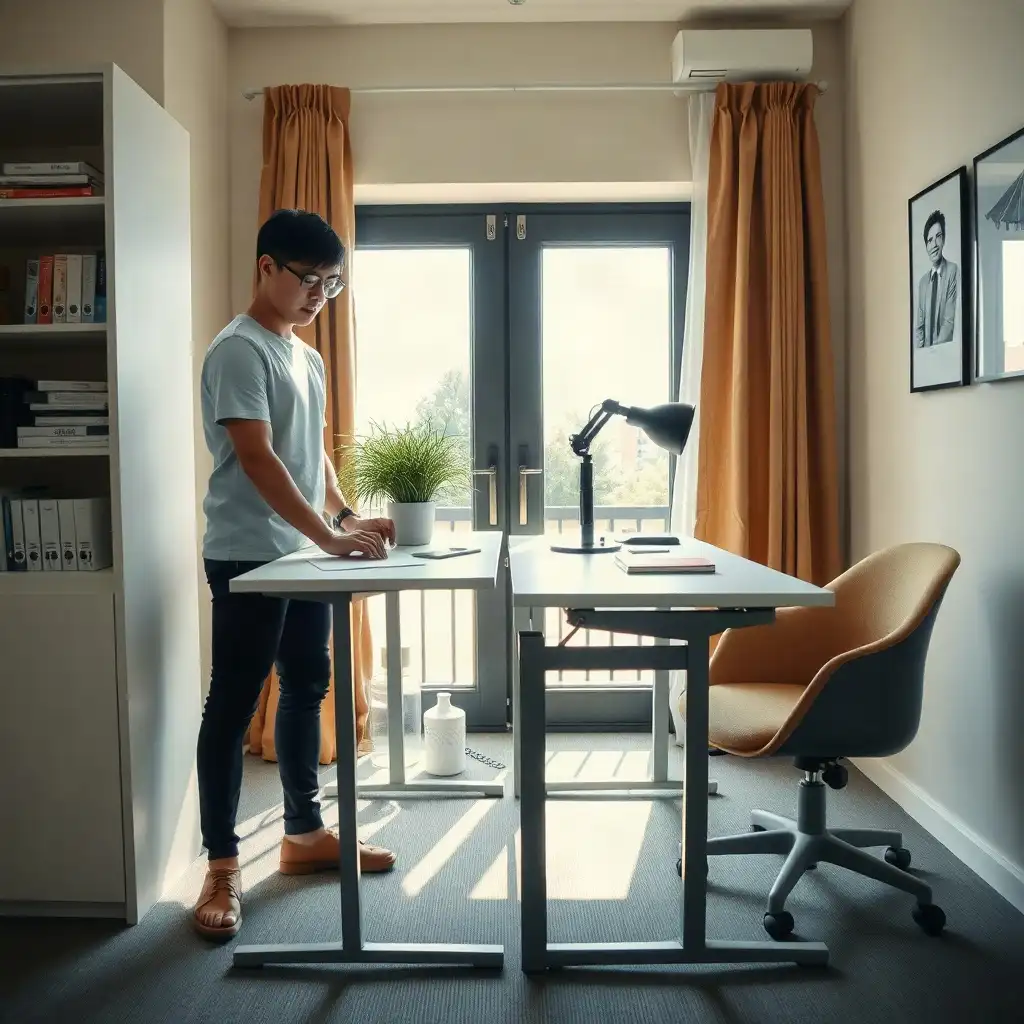
Switching between sitting and standing at your desk improves comfort and productivity. Set a timer for every 30 to 60 minutes to change positions, which helps circulation and reduces tiredness. Height-adjustable desks or sit-stand converters make transitions smooth, while keeping elbows at a 90-degree angle when standing enhances ergonomics. Adding movement breaks throughout the day boosts this practice, helping you stay active and alert as you work.
Understanding the Benefits of Alternating
Alternating between sitting and standing while you work can boost comfort and productivity. Many office workers feel tired or uncomfortable from prolonged sitting, which can hinder focus and motivation. By incorporating stand-up moments throughout the day, circulation improves and muscles engage, combating stagnation that often accompanies hours at a desk.
Mental Benefits
This practice benefits physical health and enhances mental well-being. Switching positions during the workday keeps the brain active and promotes alertness. Changing how you stand or sit may provide new insights into tasks or challenges, an unexpected perk when juggling deadlines. Embracing these transitions nurtures both body and mind, fostering a dynamic workplace where creativity grows alongside wellness. The broader comparison of sitting and standing includes sit-stand tradeoffs, as well as comfort and task demands.
Setting up Your Standing Desk Correctly
Setting up your standing desk correctly is essential for maximizing the benefits of switching between sitting and standing. First, adjust the desk height so that when you stand, your elbows form a 90-degree angle while keeping your wrists straight. Position your monitor directly in front of you with its top edge at or just below eye level to avoid neck strain and prevent leaning forward. Ensure there’s enough space underneath for leg movement, your knees shouldn’t hit anything as you change positions. If using a keyboard tray, it should allow your arms to rest comfortably without raising your shoulders too much. Everyone has different body shapes and comfort levels; take time to adjust these settings based on how you feel throughout the day instead of adhering strictly to generic guidelines.
Experiment with Different Configurations
Try out various setups during different tasks! If you’re typing an email or working on reports that require focus, find what feels best whether seated or standing, and don’t hesitate to switch mid-task if needed! Flexibility matters here; paying attention to what works for you will make those transitions easier over time and help integrate them into your daily routine without disrupting productivity.
The Pros & Cons of Desk Position Flexibility
Pros
-
Switching between sitting and standing can make your workday feel more comfortable.
-
Being able to change positions lets you adapt based on what you're doing, which helps boost productivity.
-
A sit-stand desk encourages good posture by allowing you to use different postures throughout the day.
-
Changing up your position can help avoid discomfort that comes from sitting or standing for too long.
-
Setting reminders to switch it up can be a good way to prompt yourself without needing strict schedules.
-
Tailoring your desk setup for both sitting and standing provides better ergonomic support.
Cons
-
Changing positions often can disrupt workflow for some people.
-
Standing for long periods may cause discomfort if not adjusted correctly.
-
Not every desk supports both sitting and standing heights, which limits flexibility.
-
Some users might find it hard to maintain a comfortable posture in either position.
-
Relying too much on reminders could create stress instead of encouraging healthy movement.
-
Adjusting equipment for each position takes time and effort, which might discourage use.
Creating a Flexible Work Routine
Establishing a flexible work routine is important for mixing sitting and standing throughout your day. Pay attention to when you feel like changing positions, like after finishing a task or noticing a drop in energy. Recognizing these signals can help you decide how often to switch between sitting and standing, creating a natural flow instead of strict time limits.
Incorporate Movement Into Your Day
Consider adding activities during your workday that encourage movement. If you’re in video meetings, try standing while discussing rather than staying seated. This promotes physical activity and may increase engagement, standing can boost alertness! Also, use breaks for quick stretches or walking around the office; this helps build healthy habits and refreshes your mind.
Track What Works for You
track what works best for you over time, write down notes on which tasks are easier in one position compared to another. This information will help you improve your routine based on comfort and productivity; everyone has their own preferences! Adjusting continuously keeps both body and mind energized throughout the day.
Incorporating Movement Into Your Day
Movement is your partner in making the workday more engaging. Think of easy ways to add activity to your routine. During phone calls, try standing and stretching; this can improve circulation and boost energy with little effort. Choose a workspace that allows movement to avoid staying in one position for too long.
Use walking meetings or quick chats with coworkers as opportunities to get moving. Consider using an exercise ball as a chair during certain tasks; it keeps your core engaged while adding fun to your day.
Even small actions matter: stand every time you check emails or read documents instead of sitting at your desk. It’s about finding moments of movement throughout the day! As you try these ideas, you’ll discover what energizes both body and mind, staying active boosts comfort and sparks creativity.
Optimal Schedule for Desk Position Changes
| Practical Considerations | Description |
|---|---|
| Neutral Working Position | Should include relaxed shoulders, elbows near the torso, aligned wrists, and comfortable support. |
| Regular Position Changes | It is advisable to change positions regularly throughout the workday. |
| Work Surface Arrangement | Frequently used input devices should be within comfortable reach, and leg space must remain clear. |
| Adjustable Work Surfaces | Should support comfortable arm and wrist positioning; separate equipment may be required for laptops. |
| Monitor Placement | The monitor should be in front of the user, with its top at or below eye level, allowing for comfortable reading. |
| Viewing Distance | A typical viewing range is between 20–40 inches, adjustable based on individual needs and equipment. |
| Screen and Keyboard Positioning | Laptops typically require separate equipment for independent positioning of screens and keyboards. |
| Comfort Trade-offs | Standing desks can offer comfort benefits but also have limitations compared to sitting. |
| Task-Based Adjustments | Desk height and position may need adjustments based on specific tasks being performed. |
| Safety Precautions | Homeowners should stay away from live electrical work and avoid opening control boxes during use. |
Maintaining Good Posture while Standing
While standing, maintaining good posture is crucial to avoid strain and discomfort. Start by placing your feet shoulder-width apart for stability and evenly distribute your weight on both legs. Keep your knees slightly bent, not locked, and align your hips with your shoulders. This alignment supports your body effectively and reduces fatigue. If discomfort persists, check workspace setup conditions, including posture, chair fit, footwear, and desk height.
Also, keep your head neutral, looking straight ahead at eye level instead of leaning forward or tilting back.
Arm Placement
Don’t forget about where you place your arms! When typing or using a mouse, ensure your elbows are close to your torso and form an approximate 90-degree angle. Your wrists should hover comfortably above the keyboard without excessive bending to prevent strain during long work sessions. If you feel tired after standing for a while, shift positions often or lean against a desk briefly for rest while engaging your core muscles. Each adjustment is important for comfort throughout the day as you move between tasks.
Adjusting for Different Tasks and Activities
When setting up your workspace for different tasks, be flexible. Various activities require different levels of focus and comfort. Writing an email or brainstorming in a meeting can benefit from standing, which boosts energy and engagement. Detailed work like data entry may require sitting to enhance concentration and reduce fatigue. Change things up as needed and experiment with what feels best. When assessing productivity, consider task-based concentration alongside task type and individual differences.
Consider Task Nature
Consider the task type: creative projects often benefit from movement. Pacing while working through concepts or discussing updates can energize thinking and foster creativity. Analyzing spreadsheets or editing requires a comfortable seated position to improve concentration without straining the body.
Technology's Role
Technology plays a key role in how smoothly we navigate our workdays. Ensure all essential tools are within easy reach, whether sitting or standing, to avoid distractions that hinder productivity. Adjust setups based on personal preferences; everyone has unique workflows and comfort needs throughout the day.
Stay aware of how each task aligns with your physical positions during the day. This adaptable approach will enhance performance and support long-term wellness at work.
Unveiling Secrets of Desk Posture Shifts
-
Many believe standing longer is better for health, but mixing sitting and standing is a smarter way to stay comfortable during the workday.
-
A common myth is that you need a strict schedule for switching positions. In reality, it's better to change based on how you feel and what tasks you're doing.
-
Some assume using standing desks will improve posture. Ensuring your desk setup and body alignment are correct in both positions is key to staying relaxed while working.
-
People often think they need timers to remind them to switch positions. Instead, linking gentle prompts with specific tasks can effectively remind you without a set timetable.
-
There’s an idea that discomfort while standing is part of the experience. But if adjusting your desk height or equipment doesn’t help, it’s wise to sit down or move around rather than forcing yourself to keep standing.
Tools to Enhance Your Ergonomic Setup
Creating an ergonomic workspace involves more than just the right desk; it requires tools that enhance comfort and productivity. Height-adjustable desks allow easy transitions between sitting and standing. Pairing your desk with accessories like anti-fatigue mats supports your feet while standing and reduces strain. A good chair is essential; it should support proper posture and offer adjustable features like seat height and lumbar support.
Monitor Stands
Monitor stands can change the game! Elevate your screens to eye level to minimize neck strain during long hours. Also, consider keyboard trays that allow for comfortable wrist positioning without raising or hunching shoulders too much; this adjustment helps prevent discomfort from repetitive motions.
Cable Management
Don’t overlook cable management! Keeping cords organized prevents trips and clutter in your workspace, a tidy environment promotes clarity of mind. Invest in ergonomic peripherals: mouse designs that fit comfortably in your hand can significantly reduce tension during extended computer use. By choosing these tools based on their impact on comfort and functionality within your workflow, you’ll create a space where switching between sitting and standing feels natural.
Embrace a Healthier Workspace
Embracing a healthier workspace involves more than alternating between sitting and standing; it requires creating an environment that supports well-being. Start by prioritizing wellness in your work life. Surround yourself with motivating elements, like inspiring quotes, plants, or photos of loved ones, that encourage movement breaks throughout the day. These touches to your office setup foster an atmosphere where health is essential.
Communication
Communication is key on this path toward better ergonomics. Talk with coworkers or management about practices that encourage healthy work habits. Propose team challenges focused on movement or share resources for ergonomic best practices to build teamwork and promote positive behaviors in your workplace culture. Making these changes takes time; be patient as you develop new routines centered around well-being and productivity. Each step toward this healthier approach positively impacts individual experiences and overall morale at work.
FAQ
How often should I switch between sitting and standing at my desk?
Switch between sitting and standing based on comfort and task changes, rather than a strict schedule, to maintain productivity and well-being.
What factors should I consider when adjusting my desk setup for sitting and standing?
When setting up your desk for sitting and standing, consider posture, keyboard and mouse reach, screen height and distance, legroom, and overall comfort.
How can I ensure that my monitor is positioned correctly for both sitting and standing positions?
Set your monitor 20–40 inches away from your eyes, with the top of the screen at or below eye level.
What should I do if I experience discomfort while standing at my desk?
If you feel uncomfortable standing at your desk, check your setup for good posture; if discomfort persists, try sitting or moving around, and consider seeking professional advice.