
Standing Desks vs. Sitting: Practical Benefits and Limits
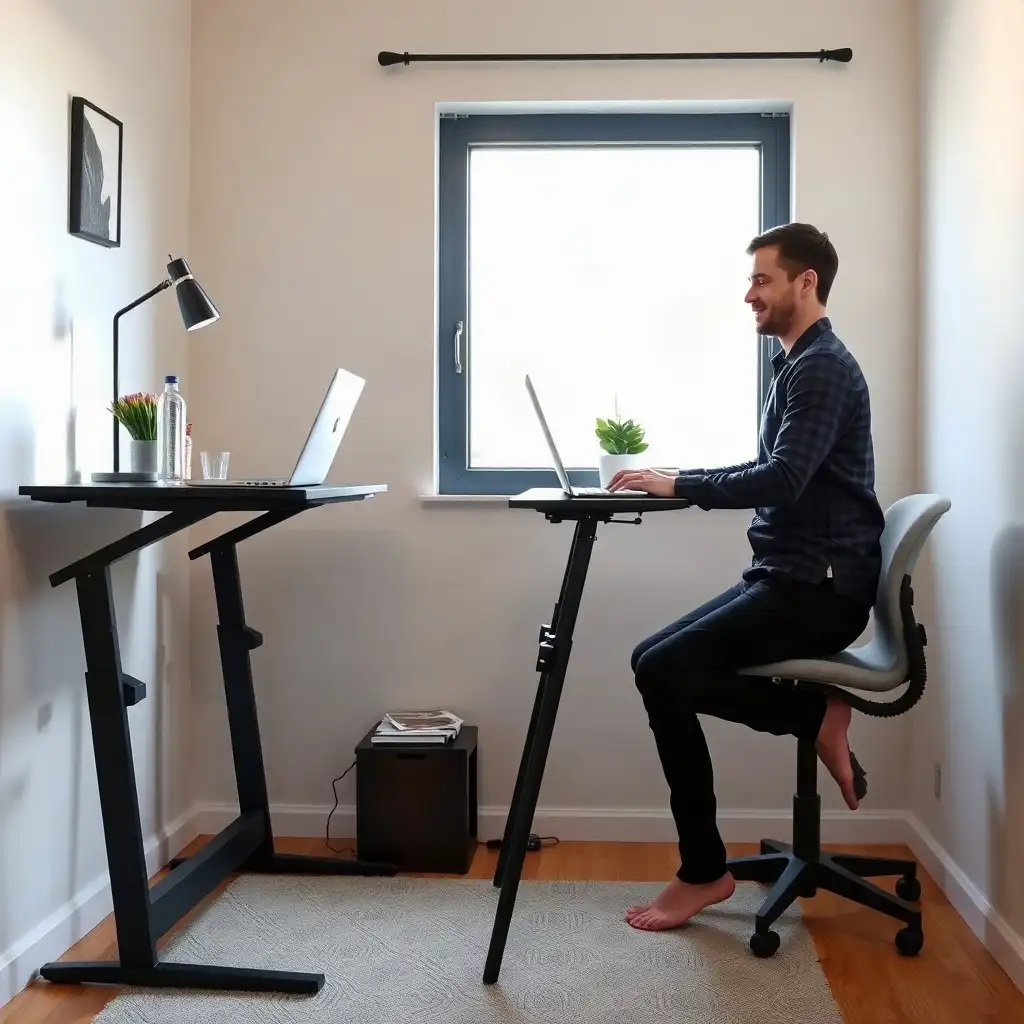
The discussion around standing desks versus traditional seating is an important decision that can affect your comfort and productivity at work. Standing desks encourage better posture and boost energy, making it easier to stay engaged with tasks and improving blood flow. Consider the risk of leg fatigue from standing too long. Finding the right mix of sitting and standing is crucial; pay attention to how your body feels and take breaks or move around regularly to stay focused and healthy during the workday. Setting up a workspace that fits your needs ensures both health benefits and productivity.
Understanding Ergonomics in Workspaces
Creating an ergonomic workspace relies on understanding how different postures affect your body while you work. Ergonomics focuses on setting up a comfortable and efficient work environment by considering posture, tool reach, and visual alignment. Keeping a neutral position, where shoulders are relaxed, elbows are close to the body, and wrists align comfortably with hands, is important whether sitting or standing.
Make it a habit to change positions throughout the day; this improves physical health and helps prevent repetitive strain injuries. Easy access to commonly used devices and sufficient legroom are crucial for an effective office setup. When choosing between sitting or standing desks, keep these basic ergonomic principles in mind to customize your workspace without sacrificing productivity or comfort.
Benefits of Standing Desks
Adopting a standing desk provides several benefits beyond aesthetics. These desks encourage users to be more active while working, boosting energy levels and improving focus. Standing enhances blood circulation better than sitting for long periods, which is essential for staying alert throughout the day. Standing desks facilitate task switching; whether jotting down notes or collaborating with coworkers, being upright allows for greater movement.
Posture Improvement
Another major advantage is improved posture. Users often report less back pain when transitioning from traditional chairs to standing setups because it’s easier to maintain proper alignment while on their feet. Standing also allows opportunities to stretch and move around, small shifts can positively impact well-being during long hours at the computer.
Adjustable Heights
many modern designs feature adjustable heights that cater to different user preferences and body types, a key feature for comfort over extended use. This flexibility lets individuals customize their setup based on what feels right instead of remaining in one position all day.
In short, integrating a standing desk into the workspace is about changing how professionals engage with their environment daily, encouraging healthier habits while aiming for increased productivity in various work settings.
The Pros & Cons of Desk Flexibility
Pros
-
Adjustable desks let users easily switch between sitting and standing positions.
-
They fit various body heights to enhance ergonomics.
-
Users can keep their arms and wrists in comfortable positions with the right adjustments.
-
The flexibility in desk height supports different tasks and personal preferences.
-
Height-adjustable desks can boost productivity by allowing movement throughout the day.
-
They may help alleviate discomfort from long periods of sitting.
Cons
-
Standing all day isn’t advisable and can lead to tiredness or discomfort.
-
Some adjustable desks are trickier to use than fixed models.
-
A standing desk works best with the right workstation setup, which might call for extra equipment.
-
Not everyone enjoys the flexibility; some users may like a fixed arrangement better.
-
Height-adjustable models usually cost more than traditional desks.
-
If your workstation is poorly arranged, you could still feel uncomfortable no matter how adjustable your desk is.
Limitations of Standing Desks
While standing desks offer benefits, they also have downsides that users should consider. One main issue is fatigue; standing for long periods can cause discomfort in the legs and feet, affecting concentration. Many users report aches after extended time on their feet without breaks, highlighting the need for regular movement or sitting down. Not every standing desk provides good stability; some models may wobble when typing or using equipment, which can be distracting during work.
Workspace Setup
Another factor to consider is how you set up your workspace; a poorly organized area can negate many ergonomic advantages of standing desks. If monitors are positioned too high or low, it can strain the neck, a common mistake affecting both seated and upright positions. Adjustable height options are common in newer desk designs, variations in quality mean that not all models effectively meet individual preferences or support good posture across tasks.
Adjustment Period
switching to a stand-centric work style requires an adjustment period, both mentally and physically, which might be challenging for those accustomed to traditional seating. Finding the right balance between sitting and standing requires awareness of body mechanics during each task at the workstation. Recognizing these limitations helps individuals make informed choices based on their working habits while prioritizing comfort when exploring this increasingly popular office solution.
Comparing Productivity Levels
When comparing standing desks to traditional sitting ones, it’s essential to consider their impact on worker efficiency and output. Standing desks can enhance the work experience; many users report feeling more engaged and alert when upright. This energy may improve focus, allowing for deeper concentration on tasks. Some individuals may experience fatigue from prolonged standing. When assessing productivity, consider individual focus factors alongside task type and individual differences.
The Type of Work Matters
The type of work significantly influences which desk style enhances productivity. Creative tasks requiring intense focus or precise movements may be easier from a seated position that offers stability during lengthy typing sessions. Jobs involving group discussions or brainstorming may benefit from a standing arrangement that encourages dynamic interaction.
Personal Preferences Count
Personal preferences greatly affect productivity outcomes for both setups. Some people feel motivated by an open posture, while others prefer the comfort of a chair to maintain a steady workflow without distraction from leg fatigue. Each situation presents its own challenges and benefits linked to individual routines and workspace design choices.
Understanding these details allows professionals to experiment with both styles instead of adhering to trends or general ergonomic ideas. By discovering what works best in their specific situations, a mix of movement and rest, they can create an environment that promotes health and ongoing performance throughout their working hours.
Comparing Health Impacts: Stand vs. Sit
| Feature/Aspect | Standing Desks | Sitting Desks |
|---|---|---|
| Ergonomic Positioning | Supports neutral working positions; encourages regular position changes | Can lead to prolonged static posture, potentially causing discomfort |
| Comfort | Varies with height adjustments; may require ergonomic accessories for optimal use | Generally comfortable for extended periods, but can cause fatigue over time |
| Space Requirements | Often requires more space for movement and adjustments | Typically occupies less space, suitable for smaller areas |
| Flexibility | Adjustable heights allow for personalized comfort | Fixed height limits customization options |
| Productivity | Some users report increased focus and energy levels | Familiar setup that some may find conducive to concentration |
| Cost | Can vary widely; typically higher initial investment | Generally lower upfront costs, depending on design |
| Aesthetic Appeal | Modern designs often enhance workspace aesthetics | Classic designs may blend well with traditional office environments |
| Maintenance | May require periodic checks for stability and function | Usually low maintenance; primarily cleaning |
| Accessories | Often paired with anti-fatigue mats or monitor stands | Commonly used with ergonomic chairs and keyboard trays |
Comfort Trade-offs Between Options
Choosing between standing and sitting desks involves considering how comfort impacts daily work. Standing desks promote a more active workspace, but can introduce challenges. Many users experience leg fatigue after prolonged standing, which can hinder concentration and reduce productivity. To address these issues, it’s important to take regular breaks, whether switching positions or taking short walks.
Personal preferences are crucial in determining comfort at workstations. Some people thrive while standing and feel more engaged, while others prefer the support of a chair for focused work that requires typing or concentration. This highlights the need for ergonomic design to consider physical needs and different working styles.
Workspace Arrangement
The layout of your workspace significantly affects comfort when switching desk options; poorly placed monitors or equipment can lead to awkward postures whether seated or standing, a key point often overlooked during setup. Understanding these aspects helps professionals customize their experiences while maintaining well-being throughout the workday.
Finding the right balance between movement and rest is essential when choosing desks. The path toward better ergonomics includes recognizing individual preferences and making practical adjustments in workspace setup without sacrificing efficiency.
Practical Tips for Desk Setup
To set up a functional desk space, create an environment that supports both standing and sitting. Place the monitor at eye level to keep your neck aligned in both positions. Position the screen 20-40 inches away from your eyes for comfortable viewing without strain. Keep frequently used items like keyboards and mice within easy reach to avoid awkward arm positions, ideally on surfaces where your wrists can remain straight while typing.
Adjustable Desks
Using adjustable desks gives you the flexibility to choose what works best for you, but check their stability; some may wobble during use, which can be distracting. If using a stand-up setup, consider anti-fatigue mats designed to reduce discomfort when standing for long periods. Regularly switching between sitting and standing is important: changing positions helps rejuvenate energy and reduces strain from staying in one position too long.
Personalizing Your Workspace
Tailor your workspace layout according to your activities; if writing or typing occupies most of your time, spend more time seated unless collaborating with others nearby. These practical changes significantly enhance an ergonomic work environment suited for improved productivity and comfort across different working styles.
Unveiling Truths About Standing and Sitting
-
A standing desk lets you easily switch your working position without needing a new desk.
-
How well a standing desk works for you depends on its ability to adjust for different heights and ensure the keyboard, mouse, and monitor are at comfortable levels whether sitting or standing.
-
A typical sitting desk can be a good option if it matches your height and equipment needs, allowing for a comfortable posture with an appropriate chair.
-
OSHA suggests regularly changing between sitting and standing positions to maintain comfort and reduce strain instead of standing all day.
-
Several factors impact the comfort and usability of your workstation, like desk height, equipment arrangement, and leg space; this highlights the importance of a fitting setup whether seated or upright.
User Experiences and Community Insights
User experiences with standing desks provide insights for both new and experienced users to improve their workspaces. Many report that switching from traditional chairs to standing setups boosts energy levels and engagement during tasks. Some experience leg fatigue or discomfort when standing for long periods without breaks, highlighting the need to consider personal preferences: what energizes one person might tire another.
Tips and Tricks
Community forums focused on ergonomic solutions often feature advice for improving comfort while using these desks. Users recommend incorporating micro-movements throughout the day, simple actions like stretching or shifting weight can help reduce fatigue from extended standing sessions. Participants emphasize the importance of proper desk setup; ensuring monitors are at eye level can prevent neck strain, a point many ergonomics experts stress.
Adjustable Models
Feedback on adjustable models varies based on brand quality and user needs. Some find satisfaction in customizable features that allow easy adjustments throughout the day, while others encounter stability issues in certain designs, these problems can distract and lower productivity instead of enhancing it.
This collection of user-generated content offers valuable guidance for anyone considering a transition between sitting and standing options at their workstation; learning from each other’s experiences fosters an informed community ready to balance personal well-being with professional efficiency.
Finding Your Ideal Workspace Balance
Finding the right balance between sitting and standing at work is crucial for comfort and productivity. Consider your needs and habits to create a setup that promotes health and efficiency. Switching between sitting and standing can boost focus and reduce fatigue from prolonged positions. Take breaks when uncomfortable or shift your position to maintain energy during busy hours.
Proper Workspace Arrangements
Setting up your workspace properly is essential for maintaining balance. Ensure monitors are at eye level to avoid strain whether sitting or standing. Ergonomic tools like footrests or anti-fatigue mats provide extra support if you’re on your feet for extended periods. Finding what works best for you may require some trial and error; remain flexible rather than strictly adhering to trends or general advice about desk setups.
Incorporating Feedback From Peers
Getting feedback from coworkers can help you make informed choices based on real experiences. Sharing tips about effective setups benefits everyone and fosters teamwork, linking personal well-being with improved workplace performance.
FAQ
What are the main advantages of using a standing desk compared to a sitting desk?
The main benefits of a standing desk include easier position changes, better accommodation for different body heights, and increased comfort during various tasks.
How does an adjustable standing desk accommodate different body heights and preferences?
An adjustable standing desk allows you to change the height of your work surface, promoting comfort and better posture while working.
What factors should be considered when setting up a comfortable workstation with either type of desk?
Consider desk height, monitor placement, input device arrangement, legroom, and overall fit to create a comfortable workstation that supports good posture.
Does OSHA recommend standing all day when using a standing desk?
OSHA recommends alternating positions and incorporating standing tasks throughout your workday instead of standing all day at a standing desk.
What practical limitations do standing desks have that users should be aware of?
Standing desks require proper height adjustment, regular position shifts to avoid discomfort, and a well-arranged workstation for comfort and usability.
Is it necessary to switch between sitting and standing positions throughout the workday?
Switching between sitting and standing during your workday can enhance comfort and reduce discomfort, according to OSHA’s guidance on computer workstation practices.