
A Practical Guide to Seating and Foot Support for Standing Desks
Key Takeaways
- Users find tips for choosing ergonomic chairs that enhance comfort and productivity with standing desks, emphasizing adjustability and materials.
- This article highlights the importance of proper foot support with anti-fatigue mats and footrests, offering advice to reduce discomfort during prolonged standing.
- Readers discover ways to set up a balanced workspace by incorporating regular movement and changing posture throughout the day, promoting health and focus.
Understanding the Importance of Ergonomics
Ergonomics is important for anyone using a standing desk because it affects comfort and productivity. An ergonomic approach reduces discomfort from prolonged standing or sitting. The Occupational Safety and Health Administration (OSHA) emphasizes keeping the body in neutral positions, relaxing shoulders, keeping elbows close to the sides, and aligning wrists comfortably while typing or using devices. Applying these principles improves physical health and creates a more focused work environment.
Balance Your Setup
Effective seating options are key when using a standing desk. Check your setup to ensure everything works together smoothly; for example, sufficient legroom under desks allows easy switching between sitting and standing without feeling cramped. Choosing adjustable furniture lets you tailor your workspace to fit how you move throughout the day, helping avoid fatigue from staying in one position too long while encouraging better habits related to work posture.
Stay Comfortable
Being mindful of ergonomics supports good posture and maintains energy levels during work hours. Make small adjustments as needed so that whether seated or standing at your desk feels right for your daily tasks.
Choosing the Right Chair for Standing Desks
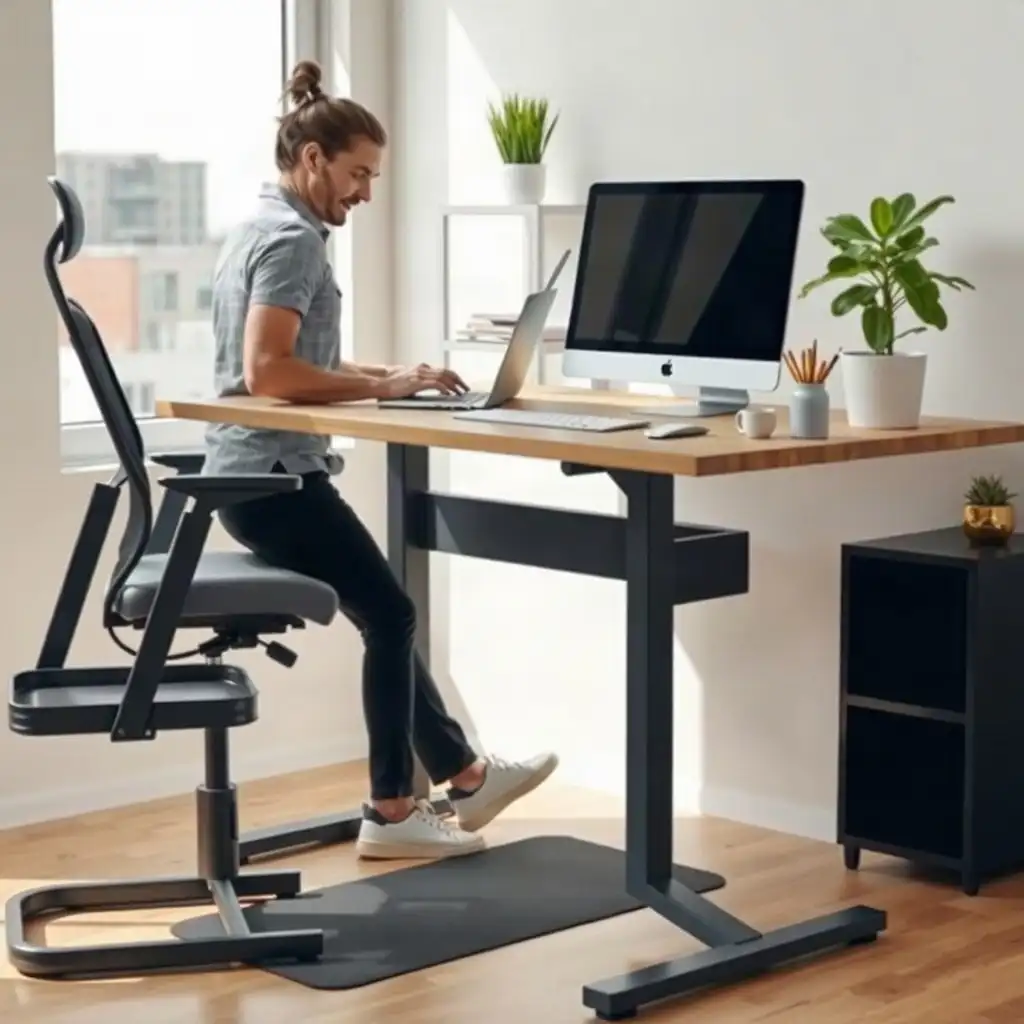
Selecting the right chair is key to setting up an ergonomic workspace with a standing desk. Users should focus on adjustability; chairs that offer height, tilt, and lumbar support adjustments accommodate different preferences and body types. This flexibility helps maintain good posture, which is important for comfort during long work sessions. Users must ensure their chosen chair fits comfortably under the desk without obstructing leg movement when changing positions. At seated height, check seated working clearance; the chair should fit under the desk without restricting leg movement.
Material Choice
material choice matters; breathable fabrics promote airflow and reduce discomfort from prolonged sitting. A padded seat can enhance comfort but shouldn’t interfere with stability or ease of transitioning between seated and standing tasks. It’s advisable for users to try different seating options before deciding, as personal preference significantly influences what feels supportive and comfortable over time.
Importance of Effective Seating
Remote workers or professionals using these desks should understand how effective seating fits into their overall workflow, not just as an afterthought but as an essential part of staying productive throughout the day. By being thoughtful about these choices, they set themselves up for immediate comfort and long-term well-being.
The Pros & Cons of Sit-Stand Workspace Essentials
Pros
-
Boosts your ability to switch between sitting and standing while you work.
-
Helps keep your posture in check by encouraging neutral positions, following OSHA guidelines.
-
Lets you customize your seating and foot support based on what feels right for you.
-
Promotes getting up and moving around regularly, which can help improve your health and comfort during the day.
-
Makes it easier to keep everything organized at your desk since all equipment is within reach.
-
Offers a range of accessories designed to meet specific needs at your workstation, making it more user-friendly.
Cons
-
Carefully choose and arrange your components to ensure they work well together and provide comfort.
-
If not adjusted correctly or if the setup doesn't match your preferences, you might feel discomfort.
-
Standing mats and footrests aren't necessary or helpful for everyone.
-
There could be higher costs when buying multiple accessories for a better setup.
-
Clutter can build up if space is tight or items aren’t stored properly during transitions between positions.
-
Without proper support or breaks, standing for long periods may lead to fatigue.
Exploring Stool Options for Flexibility
Stools provide a flexible option for standing desk users. Unlike regular chairs, stools promote active sitting, engaging more muscles while offering a place to rest. This is helpful during long work hours when fatigue sets in. Look for stools with adjustable heights and ergonomic designs that support good posture; these features ensure your seat matches the desk height and maintains spinal alignment.
Stability and Comfort
When choosing a stool, consider stability and comfort. A solid base is crucial, it keeps you secure and allows easy movement without losing balance. Many modern stools include footrests or supportive backrests that enhance comfort by encouraging movement throughout the day; this type of seating helps you shift positions instead of remaining still, reducing discomfort from extended use at a standing desk. By incorporating various seating types into their workspace, users can create an environment that adapts to their needs and boosts productivity.
Selecting Anti-fatigue Mats for Comfort
A well-designed anti-fatigue mat is essential for anyone working at a standing desk. These mats cushion feet and legs, reducing discomfort during long hours of standing. When selecting an anti-fatigue mat, consider size, thickness, and surface texture to ensure it fits your workspace. The right choice boosts comfort and encourages movement by providing varied support underfoot.
Material Composition
Consider the materials used in the mats. Options vary in firmness and flexibility; some have beveled edges to reduce tripping risks, while others feature textured surfaces for better grip. Ensure the mat is compatible with your furniture, particularly its dimensions for any chair or stool, and keep space clear around moving parts like chair wheels or adjustable desks.
Healthier Work Habits
Adding an anti-fatigue mat to a sit-stand setup promotes healthier work habits by encouraging you to alternate between sitting and standing throughout the day. This change can improve comfort and productivity without compromising stability or accessibility in your workspace. By choosing wisely among available options, you can create a more dynamic approach to daily tasks while prioritizing physical well-being.
Optimize Comfort: Seating and Foot Support Essentials
| Feature/Consideration | Chairs for Standing Desks | Stools for Standing Desks | Footrests for Standing Desks | Standing Mats for Standing Desks |
|---|---|---|---|---|
| Adjustability | Should suit the user’s seated working height | Should allow for height adjustments | Needs to be stable and appropriately sized | Should fit the standing area and be easy to move |
| Support | Provides back support; consider lumbar options | Back support varies by stool design; check comfort and support | Allows posture changes and promotes comfort | Cushioning preferences vary; surface grip is important |
| Clearance | Should provide adequate space for legs and feet | Typically has a smaller footprint | Requires enough clearance for comfortable use | Must clear chair casters and desk travel |
| Storage | Check whether the chair can tuck under the lowered desk | May require more storage considerations | Generally does not require additional storage | Check the mat’s storage instructions; rigid mats should not be rolled |
| Movement | Should allow easy transition between sitting and standing | Should facilitate movement without being cumbersome | Typically stationary but should allow foot shifting | Must remain stable during use while allowing foot movement |
| Surface Compatibility | Suitable for both hard floors and carpets | Must also work well with different flooring types | Should be compatible with the floor type | Designed for various surfaces, including hard floors |
Footrests: Enhancing Lower Body Support
Footrests are often overlooked but play a crucial role in making your standing desk setup more comfortable and supportive for your lower body. They allow you to shift your weight and adjust your posture, reducing strain on your legs and feet during long periods of standing. When choosing a footrest, consider its size and stability; one that adjusts easily can improve alignment and prevent fatigue from staying in one position too long. Look for features like non-slip surfaces or cushioning that enhance comfort without affecting balance.
Proper Positioning
It’s essential to place the footrest correctly within your workspace, ensure there’s enough clearance under desks to move freely when switching between sitting or standing. This flexibility is key to creating an ergonomic environment where productivity and well-being come together. Having this accessory encourages regular changes in stance by providing a spot to rest or slightly elevate your feet, which boosts circulation.
Building Healthy Habits
Understanding how footrests fit into your daily routine helps develop healthier work habits; they provide relief while reminding you to change positions regularly during busy workdays. By incorporating these elements into their workspace, individuals set themselves up for sustained focus and physical comfort while tackling tasks.
Practical Setup Tips for Standing Desks
Creating an ergonomic workspace for standing desks requires careful planning. Adjust the desk height to align comfortably with your elbows, allowing you to type and interact with monitors without straining. According to OSHA guidelines, maintaining a neutral wrist position while typing is essential for reducing discomfort during long hours. Ensure frequently used devices, like keyboards and mice, are within easy reach to promote better posture and minimize unnecessary stretching.
Assessing Furniture Arrangement
assess your furniture arrangement. Ensure there’s enough legroom under the desk to switch between sitting and standing easily. If using adjustable sit-stand desks, check their weight limits before adding equipment; exceeding these limits could impair functionality or damage parts over time. Regularly reviewing your setup will enhance comfort throughout daily tasks, supporting health and productivity in both remote and office environments.
Uncovering Secrets of Standing Desk Comfort
-
A standing desk does not eliminate the need for a chair or stool, which provide support when the desk is lowered.
-
Not all standing mats offer health benefits; their effectiveness varies based on size, cushioning, and surface texture.
-
The necessity of a footrest in a standing desk setup depends on personal preferences and workspace configuration.
-
A one-size-fits-all sitting-to-standing schedule is a misconception; ergonomics experts recommend adjusting positions based on comfort.
-
Having a standing desk does not negate the importance of other workstation elements; overall comfort relies on seating arrangements, monitor placement, and the location of frequently used input devices.
Maintaining a Balanced Work Routine
Establishing a balanced work routine is crucial for maximizing a standing desk setup. Switching between sitting and standing reduces fatigue and keeps you engaged. Pay attention to how your body feels; if something doesn’t feel right, change positions or take short movement breaks. The Occupational Safety and Health Administration (OSHA) states that changing postures helps maintain physical well-being during long hours at your workstation.
Intentional Transitions
Adding purposeful transitions into your day can boost productivity. Set reminders every 30 minutes to check your position, whether it’s time to stand, stretch, or sit back down. Incorporating small stretches or quick walks can refresh your focus and creativity while easing tension from staying still too long.
Tracking Your Time
Keeping track of the time spent in each position using timers or apps raises awareness about maintaining healthy habits throughout the workday. As you adopt these practices, you’ll likely notice increased comfort leading to better output, a clear sign that prioritizing ergonomic principles benefits both health and effectiveness at work. By adopting this balanced approach daily, you improve efficiency and develop long-term wellness strategies that enhance your working experience.
Optimizing Your Standing Desk Experience
To make the most of your standing desk experience, balance functionality with comfort. Ensure that all components, desks, chairs, stools, and mats, work well together for a smooth workspace. Adjust the height; when standing, desks should be at elbow height to prevent strain on shoulders and wrists. Any seating or stool must fit this setup without causing discomfort as you switch positions.
Personalization
Everyone should customize their workspace based on personal needs while following ergonomic guidelines from organizations like OSHA. Monitor placement significantly affects posture; screens should be directly in front of you at eye level and within a comfortable viewing distance to avoid leaning forward, a common issue.
Cable Management
Thinking about cable management solutions helps keep workspaces tidy, reducing distractions and boosting focus.
Accessories
Adding accessories like footrests or anti-fatigue mats encourages movement throughout the day instead of remaining still. These tools allow you to shift your weight, improving circulation and reducing fatigue over time, often overlooked in traditional setups.
Creating a space designed for productivity and physical well-being leads to better working habits that support long-term health outcomes.
FAQ
What factors should be considered when selecting a chair or stool for a standing desk setup?
Consider the chair or stool’s height, adjustability, stability, mobility, and fit in your workspace when selecting for your standing desk setup.
How does the size and design of a standing mat affect its usability in a workspace?
The dimensions and layout of a standing mat significantly affect its stability, footprint, and compatibility with nearby equipment, impacting overall comfort and movement.
What are the key features to look for in a footrest when using a standing desk?
Choose a footrest for your standing desk based on stability, size, and comfort while allowing legroom and chair movement.
Why is it important to assess the entire workstation setup when transitioning between sitting and standing?
Evaluating your workstation setup when switching between sitting and standing is crucial for comfort, posture, and avoiding strain.