
What to Check When Pairing a Chair with a Standing Desk
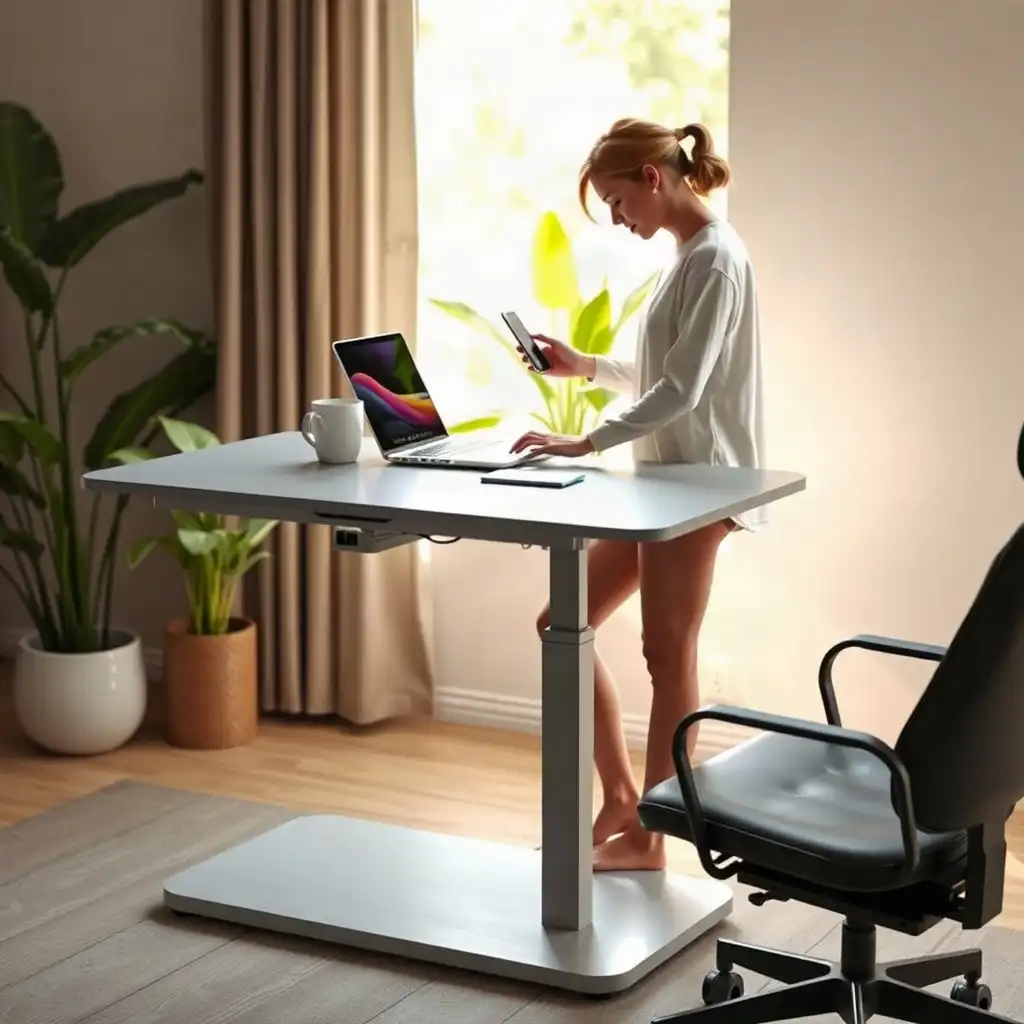
Choosing the right chair for your standing desk is essential for comfort and productivity. Key points include adjustability; both the chair and desk should fit different heights to support good posture. Lumbar support is important for spine alignment during long hours. Mobility matters, smooth-rolling wheels facilitate switching between sitting and standing without interrupting workflow. Focusing on these features helps create an ergonomic workspace.
Ergonomic Chair Features to Consider
A key factor in choosing an ergonomic chair for your standing desk is adjustability. The chair should fit your height and allow for various sitting positions. Look for adjustable seat height, backrest angle, and armrest positioning to customize settings for comfort and support. When choosing a chair or stool, consider seat height choices, how long you sit, and how often you change position.
Comfort is crucial; pay attention to lumbar support. A good backrest encourages a natural curve in your lower back while providing cushioning. Consider seat width and depth, as these measurements affect long-term comfort.
Mobility
Mobility is another important feature when picking out office seating. A lightweight design with smooth-rolling casters makes it easy to switch between sitting and standing without disrupting your workflow. Ensure the chair’s style matches your workspace decor to create an inviting atmosphere that boosts productivity.
Desk Height Compatibility
Finding the right desk height compatibility is key for a smooth experience between your standing desk and chair. When sitting, keep your elbows near your torso, your shoulders relaxed and your wrists aligned while reaching the keyboard comfortably. This setup helps prevent strain during long work hours. As you adjust for sitting or standing heights, ensure both positions are reachable while maintaining good posture; also, position the monitor at eye level to avoid neck strain.
To find this balance, check if your chair can lower enough to match your desk’s height while remaining comfortable and supportive. If it’s too high or low compared to your usual standing or sitting position, it could lead to discomfort over time. Features like adjustable seat pan depth and backrest height are important; they help accommodate different body types effectively without sacrificing ergonomics.
Clearance Under Desk
Consider how much clearance there is beneath the desk, having enough space allows for free movement whether working upright or sitting. Good legroom prevents cramping and boosts circulation during busy hours at versatile workstations. By focusing on these factors now, you set yourself up for immediate comfort and sustainable productivity in crafting an ergonomic workspace that caters to diverse needs across various tasks.
The Pros & Cons of Chair-Desk Compatibility
Pros
-
A compatible chair provides comfortable support and helps you maintain a relaxed posture while sitting.
-
Proper clearance makes sure the chair doesn't block your desk movement or leg space.
-
Adjustable features let you find an ergonomic position that fits your needs.
-
The easy mobility of the chair allows for quick transitions between sitting and standing.
-
Compatibility with monitors and equipment boosts overall workstation efficiency.
Cons
-
Not every chair works well with all standing desks, so you need to choose carefully.
-
If there’s not enough clearance, it can cause discomfort or limit how the desk functions.
-
Some chairs may not adjust much, which could affect your comfort during long periods of use.
-
Badly designed wheels or mats might get in the way and create safety risks.
-
If accessories don’t fit properly, you might have to spend more money or make changes.
Mobility and Stability Factors
When considering mobility and stability, the chair you choose is crucial for a functional and comfortable workspace. Ensure your office chair has smooth-rolling wheels or gliders suited to your flooring type to avoid interruptions when moving between sitting and standing. A lightweight design also helps; a heavy chair can hinder movement and affect productivity.
Stability
Stability matters too; check that the chair’s base distributes weight evenly to prevent tipping during position shifts. A stable seat instills confidence whether leaning forward while seated or settling back after standing. Consider how well the chair maintains its shape over time with different weights and postures, whether supporting focused work at eye level or providing comfort during breaks.
Additional Features
look for features like locking mechanisms on casters if you prefer limited movement, they allow you to stay in one spot when needed while retaining flexibility for adjustments. Balancing these elements boosts productivity and contributes to an ergonomic space where comfort aligns with functionality.
Transitioning Between Sitting and Standing
Transitioning between sitting and standing is essential for comfort during your workday. Ensure the chair you choose adjusts easily as you change positions. Look for features that allow quick adjustments, like pneumatic height settings or easy-release levers for tilting the backrest. When standing, consider how smoothly your chair allows you to rise. A design that supports easy transitions reduces strain and maintains productivity. This guide covers combining seating with floor support for different tasks, desk heights, and available floor space.
Work Angle
Consider the angle at which you’ll work in both seated and standing positions. Your elbows should rest comfortably when typing, whether sitting or standing, a detail often overlooked until discomfort arises. The best setup permits slight changes in posture without awkward angles that can cause fatigue. Also, ensure your chair’s seat cushion and support remain comfortable through frequent shifts; maintaining flexibility keeps you engaged as tasks vary throughout the day. By focusing on these elements now, you invest in an ergonomic solution tailored to your workspace needs.
Perfect Pairings: Chair & Desk Essentials
| Consideration | Description | Practical Checkpoints | Manufacturer-Dependent Limits | Notes |
|---|---|---|---|---|
| Chair Height | Ensure the chair adjusts to your seated working position at the lowered desk; you stand without using the chair. | Test chair height against desk height for comfort. | Maximum and minimum height adjustments vary by model. | Adjustability is key for proper posture. |
| Seat Depth | Select a chair with appropriate seat depth to support thighs without pressure points. | Sit back in the chair; knees should not touch the edge. | Depth adjustments depend on specific chair designs. | Comfort during extended use is important. |
| Backrest Support | Look for a chair with lumbar support that aligns with the lower back when seated. | Check if backrest height and angle are adjustable. | Support features differ among manufacturers. | Proper alignment reduces strain. |
| Armrests | Choose armrests that can be adjusted or removed to allow for freedom of movement. | Ensure armrests do not interfere with desk space. | Some chairs have fixed armrests that may limit use. | Flexibility enhances comfort. |
| Mobility | Consider a chair with casters suitable for the floor type (carpet vs. hard surface). | Test mobility on the intended flooring. | Caster specifications may vary by chair type. | Smooth movement is essential for transition. |
| Stability | Assess the chair’s stability when transitioning from sitting to standing positions. | Check for wobbling or instability during use. | Stability ratings depend on design and materials. | A sturdy base is crucial for safety. |
| Clearance | Ensure adequate clearance under the desk for legroom while sitting and standing. | Measure the desk height and compare with chair height. | Desk designs dictate available space underneath. | Avoid cramped positioning. |
| Cushioning | Select seating with sufficient cushioning for comfort during prolonged use. | Evaluate firmness and material for personal preference. | Cushion quality varies widely among different chairs. | Personal comfort preferences matter. |
| Footrest Compatibility | If using a footrest, ensure it fits well within the workspace and allows for posture changes. | Verify footrest size and position relative to chair. | Size and adjustability depend on specific models. | Facilitates better posture alignment. |
Clearance for Accessories and Equipment
Ensuring enough space for accessories and equipment is important when pairing a chair with a standing desk. Check the available room under the desk to fit your legs and any extras like footrests or storage bins. Keeping the area organized improves circulation and movement, making it easier to switch between sitting and standing comfortably.
Also, consider the height of components, like monitors or keyboard trays, to ensure they align well with seated and standing positions without straining your body. If using items like anti-fatigue mats or monitor arms, ensure there’s adequate space for them to work effectively without blocking pathways around your workspace.
By focusing on these clearances now, you’ll create an environment that supports flexibility while maintaining comfort throughout your workday.
Aesthetic and Functional Pairing
The look of your chair is as important as its functionality, and finding the right mix can improve your workspace. When choosing a chair for your standing desk, consider how its style fits with your home office decor. A cohesive setup not only boosts morale but also fosters creativity and productivity. Whether you prefer modern minimalism or classic elegance, ensure the colors and materials of both the chair and desk complement each other.
Functionality is Key
While appearance matters, practicality is essential. Your selected chair must follow ergonomic principles, consider how well it supports various activities while keeping you comfortable enough to focus. If you’ll be sitting for long hours at a computer or joining virtual meetings often, choose chairs that offer solid lumbar support along with their design. By thoughtfully pairing form and function, you’ll create a visually appealing area designed for peak performance across tasks.
Exploring Myths and Facts of Chair-Desk Harmony
-
Many people think any chair can work with a standing desk, but it depends on the specific chair and desk combination and how your workstation is set up.
-
A lot of folks assume that a chair needs to match a standard height for a standing desk; yet, it's more important to adjust for comfort than stick to one measurement.
-
Some users believe they only need to ensure their chair fits under the desk when not in use; you should also check that the chair doesn't obstruct movement or use of the desk.
-
There's a common myth that all floor mats are good for health; instead, mat features like size and texture cater more to personal choice than guarantee wellness benefits.
-
Many individuals forget about monitor placement while adjusting their chairs; changes to seating can impact how far away or at what angle you view your screen, check those after making adjustments!
Adjusting to Different Body Types
Finding the right balance in adjusting your workspace for different body types is essential. Everyone has unique proportions, and tweaking chair settings can improve comfort and productivity. Start by checking the seat height, an adjustable mechanism allows you to raise or lower the chair so your feet sit flat on the ground with a slight bend at your knees. This setup promotes healthy circulation and reduces strain during long hours of use.
Backrest Adjustments
consider backrest adjustments; ensure it provides enough lumbar support whether sitting or standing. Choose models with dynamic backrests that move as you do, this feature supports various postures throughout your workday without losing stability.
Armrest Adjustments
Also, pay attention to armrest adjustments: they should allow your shoulders to relax while keeping your elbows close to your sides at comfortable angles when typing.
Seat Depth Considerations
consider seat depth, a design that’s too deep might cause discomfort over time if there’s not enough thigh support while seated. One that’s too shallow might leave you feeling unsteady as you shift positions. By focusing on these details now and personalizing based on specific needs in environments like home offices or co-working spaces, you’ll create an ergonomic experience tailored to you.
Routine Maintenance for Longevity
Routine maintenance is essential for keeping your ergonomic chair and standing desk in good shape. Clean both items regularly using suitable cleaning solutions, following the manufacturer’s instructions to avoid damaging materials, especially leather or fabric upholstery. For desks, ensure moving parts are clear of dust and debris to prevent wear over time.
Inspect Moving Components
Check the moving parts regularly. Test the casters, they should roll smoothly without sticking or dragging. If there is wobbling in the chair base or instability when sitting, tighten screws or replace worn pieces as needed. A solid connection between different parts of your setup is crucial for comfort during long periods of use.
Adjust Settings Regularly
Adjust settings based on daily use. As you switch between sitting and standing throughout your workday, revisit adjustments like seat height and backrest position to maintain optimal support. By proactively following these maintenance tips, you’ll extend the lifespan and improve functionality across all aspects of your workspace.
Optimizing Your Workspace Setup
To optimize your workspace setup, consider ergonomics and functionality together. Assess the arrangement of your desk and chair; ensure they complement each other and allow easy movement between sitting and standing. Position your monitor at eye level to avoid neck strain. Place accessories like keyboards and mouse pads within easy reach to maintain workflow.
Take inventory of frequently used items that should be close at hand, like notebooks, documents, and coffee mugs. Each should have its own spot to avoid clutter while remaining accessible. Good ambient lighting is also important; a well-lit area reduces eye strain and boosts productivity.
Examine how these elements interact to create an inviting work environment for focus and creativity as you switch positions. Thoughtful placement and aesthetic choices lead to a balanced workspace designed with purpose.
FAQ
What adjustments should I make to my chair for a comfortable seated position at my standing desk?
Adjust your standing desk for relaxed shoulders, elbows close to your body, aligned wrists, and enough leg space underneath.
How do I ensure that my chair clears the desk and any attached equipment when in use?
Ensure the chair’s height allows for smooth movement under the desk, provides enough legroom, and can be pushed aside easily without blocking the desk.
What factors should I consider regarding the movement of my chair around the desk?
Consider the chair’s height, legroom, and space between the desk and equipment to ensure smooth movement.
How can I check if my mat interferes with the chair's casters or desk travel?
Observe how smoothly the chair rolls on the mat without getting stuck when adjusting your desk.
What is the recommended monitor height and distance for optimal viewing after adjusting my chair?
Position the monitor so its top is at or below eye level and 20–40 inches away for optimal viewing comfort.
How do I verify that all accessories are compatible with both my chair and standing desk?
Check the manufacturer manuals for each accessory to ensure compatibility with both a chair and a standing desk.