
Standing Desk Stool or Chair: Practical Differences
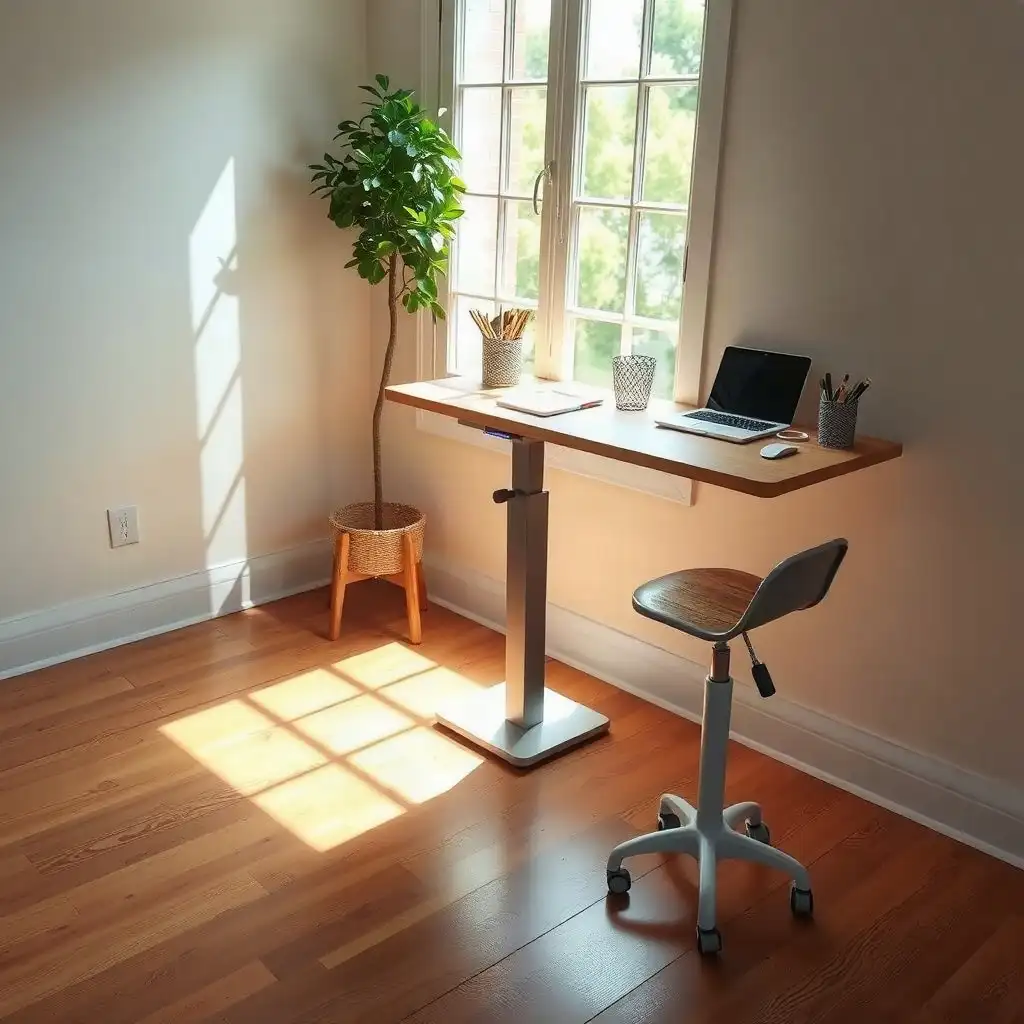
When deciding between a standing desk stool and a chair, consider how it affects your comfort and productivity. Stools are for short-term use, allowing you to perch while staying active. Chairs offer better support for longer sitting sessions with adjustable lumbar support that helps maintain posture. Recognizing these differences allows you to customize your workspace to fit your working style and health needs, improving well-being and efficiency.
Understanding Ergonomic Workspace Needs
Creating an ergonomic workspace starts with identifying your needs and preferences. Balancing sitting, standing, and perching is essential for comfort during the workday. Remote workers often require flexibility; understanding desk usage can enhance productivity and well-being. If you change positions frequently, a stool that facilitates switching between sitting and standing may be ideal. If you prefer to sit for long periods, choose a chair with solid lumbar support that promotes good posture, something organizations like OSHA emphasize as crucial for avoiding discomfort over time.
Overall
Recognizing these different ergonomic needs helps set the stage for choosing seating options in any workspace setup.
Key Differences Between Stools and Chairs
Stools and chairs serve different roles in a sit-stand desk setup. Stools offer flexibility for short use, allowing users to perch while working and encouraging movement. This makes them ideal for those who frequently change positions. Chairs prioritize comfort for longer sitting sessions, providing strong back support that follows ergonomic guidelines from experts like OSHA. This guide covers support across desk positions for different tasks, desk heights, and available floor space.
They are suited for individuals who need stability and full support during long hours at their desks. By recognizing these differences, remote workers can customize their workspace based on personal work styles, boosting productivity without compromising well-being or comfort.
The Pros & Cons of Seating Choices
Pros
-
A chair offers better back support and adjustable features for your comfort.
-
Armrests on chairs help you position your arms comfortably while you work.
-
Chairs generally provide more comfort during long periods of sitting.
-
Stools have a compact design that makes them easy to store when not needed.
-
Some stools are lightweight, allowing for easy movement around your workspace.
Cons
-
Chairs can take up more space and might block movement when you stand up.
-
Stools usually don’t have back support, which can cause discomfort over time.
-
The adjustability features in stools vary a lot, affecting how easy they are to use.
-
Some stools still occupy valuable legroom under desks despite their design.
-
Chairs with arms may restrict access to the desk if they're not designed well.
Support and Comfort Levels Explained
Support and comfort levels vary between stools and chairs, affecting the ergonomic experience. Stools offer an active seating choice, allowing users to shift positions and encouraging movement throughout the day. This benefits those who frequently switch between sitting and standing tasks by promoting blood flow and maintaining energy. In contrast, ergonomic chairs provide long-term support, often featuring adjustable lumbar support that aligns with natural spinal curves for comfort during extended desk work. For lengthy projects or meetings, a stable chair is crucial. Recognizing these differences helps remote workers enhance their workspace while prioritizing health by choosing what best suits their habits and preferences. A footrest can offer standing foot support while you work upright, but it should not replace regular movement.
Adjustability Features for Optimal Use
When it comes to adjustability, stools and chairs have features that support different work styles. Stools typically include a height adjustment mechanism, allowing users to find their ideal perching position at a standing desk. This flexibility benefits those who switch between sitting and standing often, helping them stay comfortable while moving easily. In contrast, ergonomic chairs offer customizable options like seat depth adjustments or tilt mechanisms that provide solid support for longer sitting periods. Changing the chair’s height accommodates various body types and helps keep wrists aligned when typing, which is important for productivity.
Swivel Features
some high-end models come with swivel capabilities that let users access their workspace without straining or twisting awkwardly. It’s also important to consider how these adjustments fit within your workstation’s dimensions; having enough legroom under desks is crucial whether using a stool or chair, as cramped conditions can reduce the benefits of an ergonomic setup. Choosing seating options with good adjustability allows remote workers to control their comfort while boosting efficiency throughout the day.
Choosing Comfort: Stool vs. Chair Insights
| Feature | Standing Desk Stool | Standing Desk Chair |
|---|---|---|
| Support Type | Provides partial support | Offers full support |
| Adjustability | Generally height adjustable | Often includes seat height and backrest adjustments |
| Workspace Footprint | Typically smaller footprint | Usually larger footprint |
| Storage Considerations | Easier to store or tuck away | May require more space for storage |
| Mobility | Often lighter and easier to move | Can be heavier and less portable |
| Comfort Level | May require core engagement | Designed for prolonged comfort |
| Posture Encouragement | Promotes active sitting/standing | Supports traditional seated posture |
| Use Case Flexibility | Better for quick transitions | Suitable for longer durations |
| Stability | May vary based on design | Usually provides stable seating |
| Height Compatibility | Works with various desk heights | Must match desk height for optimal use |
| Recommended Usage | Ideal for short tasks | Best for extended work sessions |
Space and Storage Considerations
Users need to consider space and storage when choosing between stools and chairs for sit-stand desks. The size of each option impacts workspace setup and use. Stools usually take up less room than regular chairs, making them ideal for smaller home offices or shared areas. Their compact shape allows easy storage under the desk, creating more floor space. In contrast, ergonomic chairs with larger bases require more planning; they need sufficient space around the desk for swivel and reclining features.
Storage Considerations
Storage is important for enhancing workspace functionality. For remote workers seeking flexibility, stools facilitate quick changes while reducing clutter from unnecessary furniture. Chairs typically need designated spots due to their size but offer built-in conveniences like armrests or compartments for storing supplies or personal items, this is crucial for creating an organized work area. Understanding how seating choices affect layout and organization helps individuals make better decisions tailored to their workflows.
Impact on Posture and Health
The way you sit can greatly affect your posture and health, especially when using a sit-stand desk. Stools encourage positions that promote movement and flexibility. They allow you to shift your weight easily, helping maintain energy throughout the workday. This active approach counters the downsides of prolonged sitting by promoting small movements that improve blood flow.
Ergonomic Chairs
On the flip side, ergonomic chairs offer crucial support for extended time at your desk. These chairs feature lumbar support and cushioned seats designed to match the natural curves of your spine, important factors noted in OSHA recommendations about maintaining neutral working postures to avoid discomfort during long use. At seated height, check chair-to-desk fit; the chair should fit under the desk without restricting leg movement.
By recognizing how each seating option affects body mechanics over time, remote workers can make choices that enhance comfort and productivity while minimizing strain from poor posture.
Exploring Myths and Facts About Comfort Choices
-
A stool is not always smaller than a chair; "stool" includes many designs, some of which may take up more space or have backs or footrests.
-
Labels like “office stool” or “tall chair” do not guarantee compatibility with sit-stand desks regarding height or user needs.
-
Using a chair does not necessarily mean better support; the benefit depends on how well the chair fits under the desk without obstruction.
-
Many believe it’s acceptable to sit for long periods in a chair or stool; yet, OSHA recommends changing positions frequently and incorporating standing tasks.
-
Monitor placement affects posture while working, so consider both your seat and equipment setup.
Choosing the Right Material and Design
Selecting the right material and design for stools or chairs in a sit-stand workspace affects comfort and functionality. Stools use lightweight materials for easy movement, allowing users to switch between standing tasks without feeling heavy. Their designs focus on practicality rather than bulkiness, which is helpful in smaller home offices. Ergonomic chairs may use heavier materials like high-density foam for cushioning and breathable fabrics, features that enhance comfort during long sitting periods. The choice of upholstery impacts both comfort and the overall look of the workspace.
Color Schemes and Styles
Color schemes and styles are key to creating an inviting work environment. A well-chosen stool or chair can match existing decor while encouraging motivation and creativity. Bright colors might energize a workspace and boost productivity, while neutral tones create a calm atmosphere ideal for focused tasks. Maintenance is also important; some materials require more care when cleaning spills or dealing with wear from daily use, influencing long-term usability.
By considering material quality, design aesthetics, and personal tastes, remote workers can find seating solutions that maximize comfort and style throughout their daily activities.
Integrating Accessories with Your Setup
When setting up an ergonomic workspace, accessories can improve how stools or chairs work with sit-stand desks. Footrests, anti-fatigue mats, and monitor arms boost comfort and productivity. A well-placed footrest relieves pressure on the legs while encouraging movement, useful for stools that allow position shifts throughout the day. Anti-fatigue mats cushion feet for those who switch between sitting and standing, enhancing comfort during long hours at a desk without harming posture.
Adjustable monitor arms position screens at eye level, keeping the neck aligned whether sitting or on a stool. Properly adjusting monitors according to seating height reduces strain from awkward viewing angles, a common issue for remote workers. It’s essential to see how these accessories fit into your setup; they should enhance rather than clutter your workspace.
Conclusion
In the end, incorporating these extra elements creates an environment tailored to personal preferences while tackling discomfort linked to long use of either stools or chairs. Thoughtful integration improves user experience and promotes healthy habits across various working styles throughout the day.
Practical Tips for User Experience
Creating a good user experience with stools and chairs in a sit-stand desk setup involves practical steps. First, consider how you work; if you often switch between sitting and standing, opt for height-adjustable options or seating that facilitates transitions.
Assess Your Work Habits
Users who frequently change positions may find it helpful to invest in tools that allow for easy adjustments.
Consider the Floor Surface
The type of flooring matters, if you’re using anti-fatigue mats, ensure they fit well within your workspace and don’t create tripping hazards when moving from standing to seated tasks.
Regular Maintenance
Caring for stools and chairs can help them last longer. Simple actions like tightening screws or cleaning upholstery can prevent wear over time while maintaining comfort levels.
Use Designated Storage Solutions
Having storage solutions for accessories helps keep your space organized. This way, remote workers can access essential items without cluttering their setup.
By following these tips daily, users can improve satisfaction with ergonomic arrangements and encourage healthier working habits throughout the day.
Making Informed Seating Choices
Selecting the right seating option for a sit-stand desk setup requires consideration of work habits and comfort needs. Think about daily activities: do you need support for long periods of sitting, or do you prefer to move around? If you frequently switch tasks, stools are a good fit because they allow brief perching while staying engaged. If you focus on one task for longer, look for chairs with comfort features like lumbar support to maintain good posture.
Assessing Workspace Needs
When choosing seating options, consider how each fits with your workspace’s size and equipment requirements. Both stools and chairs have different space needs; ensure there is enough room around the furniture and for accessories like footrests or anti-fatigue mats for standing desks. This planning is crucial since tight spaces can limit movement and reduce ergonomic advantages.
Considering Aesthetics
consider how personal style affects satisfaction with seating solutions. The balance of aesthetics and practicality is important; materials that match your home office can enhance motivation while working from home. A unified design creates a pleasant environment, whether through vibrant colors energizing the area or softer tones fostering calm during intense focus sessions, helping remote workers enjoy their time at their desks more fully.
FAQ
What are the main differences between a stool and a chair for use with a standing desk?
Stools are compact and straightforward, while chairs offer more features, with the main differences being support, adjustability, and ease of storage.
How does the level of support differ between stools and chairs?
Support levels vary: chairs typically have more features like backrests and armrests, while stools offer less support and design variation.
What factors should be considered when checking the adjustability of a seat for a sit-stand desk?
Consider the height range, leg clearance, arm and back space, base movement, and storage when assessing seat adjustability for a sit-stand desk.
Why is it important to verify the height range of a stool or chair before purchasing?
Check the stool or chair height range to ensure it matches your desk for comfort and ergonomic positioning.
How can one ensure that their seating choice allows for comfortable access to input devices?
Ensure your seating supports relaxed shoulders, elbows close to your body, and aligned wrists while working at the desk.
What should be taken into account regarding storage space for stools and chairs in a workspace?
Ensure stools and chairs fit under the desk without obstructing movement pathways.