
Standing Desks, Focus, and Productivity: What to Expect
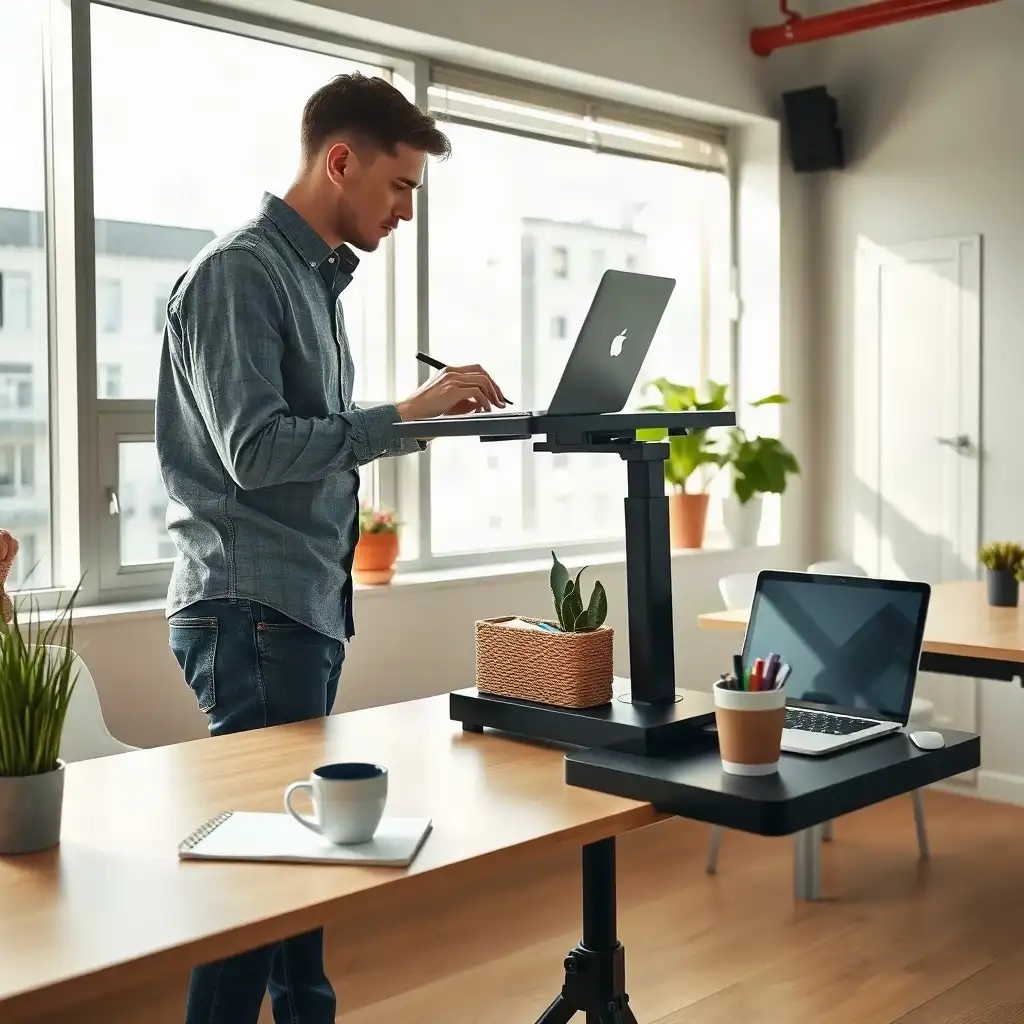
Standing desks are changing how people work, helping them stay focused and productive. Research shows that working while standing can boost energy levels, improve mood, and reduce fatigue, important for maintaining attention on tasks. As individuals adapt to this setup, they often feel more in control of their workspace, which encourages motivation and creativity. Users should adjust their ergonomic setups based on personal comfort; the right monitor height and accessible tools are key to staying comfortable and efficient. By making these adjustments, workers can achieve concentration levels that sitting alone can’t provide.
Understanding the Standing Desk Concept
Transitioning to a standing desk can change how users engage with their work environment. These desks boost physical and mental involvement, encouraging active postures while working. This switch helps combat tiredness and increases alertness, making it easier for workers to handle challenging projects or generate new ideas. Standing instead of sitting fosters a stronger sense of ownership over the workspace, which is crucial for motivation.
Understanding Standing Desks and Productivity
understanding how standing desks impact productivity requires careful consideration. Everyone reacts differently based on preferences and work styles; adjustments are essential. The Occupational Safety and Health Administration (OSHA) emphasizes that comfort is key, ensuring frequently used tools are accessible and maintaining good ergonomics at the workstation. Users must consider screen height, positioning, and adequate leg space during use. Creating a personalized setup enhances functionality and plays a significant role in achieving focus in any professional setting.
How Standing Desks Enhance Focus
Transitioning to a standing desk can change how people work. These desks encourage users to adopt more active postures, moving away from constant sitting, which can boost physical activity and mental engagement. This increased movement often leads to greater alertness, helping workers tackle complex problems or brainstorm ideas more clearly. Standing also helps individuals connect better with their workspace, which is important for motivation and productivity. Make posture shifts part of the workday, adjusting to comfort and task demands rather than following a rigid schedule.
Yet, everyone has different experiences with standing desks based on their habits and working styles. Personal preferences are key; therefore, adjustments should be made thoughtfully. The Occupational Safety and Health Administration (OSHA) emphasizes the importance of comfort when choosing ergonomic solutions, ensuring tools are easy to reach while maintaining good posture during tasks at the workstation. Users need to pay attention not just to screen height but also ensure adequate legroom under the desk as they stand or shift positions throughout the day. Customized setups improve efficiency and help maintain focus amid daily tasks.
The Pros & Cons of Adjustable Workstations
Pros
-
Adjustable workstations let you easily switch between sitting and standing while you work.
-
They can improve your comfort by fitting your personal ergonomic needs and preferences.
-
An adjustable desk encourages better posture, which can help prevent discomfort or strain during long hours at the computer.
-
Being able to change positions may assist some people in staying focused and productive throughout their day.
Cons
-
There is no solid proof that standing desks boost productivity or focus for everyone.
-
Some people might find switching between sitting and standing more of a distraction than a help to their work.
-
A workstation that's not set up properly can make things inconvenient, making tasks harder if tools aren't easy to reach.
-
Not every adjustable desk works with all types of equipment, which could limit how effective they are for certain jobs.
The Impact on Productivity Levels
The move to standing desks can affect workplace productivity, but experiences vary. Many users report feeling more engaged and motivated while standing, which encourages a hands-on approach. They find that standing boosts creativity and innovation by breaking the monotony of prolonged sitting. Remaining upright improves blood flow and reduces discomfort from sedentary behavior, enhancing brain function.
Individual experiences depend on habits and workflow preferences. Tailoring the workspace to fit specific needs is essential; ergonomic factors should accommodate these differences rather than follow a one-size-fits-all approach. OSHA emphasizes that correctly aligning monitors and input devices is crucial for comfort with adjustable desks. Positioning screens at eye level enhances visibility without straining the neck or back, which is vital for maintaining focus.
###
Also, adjusting desk height ensures that everyone’s physical needs are met during daily activities. By creating an environment where they feel comfortable switching between standing and sitting, individuals may discover new levels of concentration that traditional seating does not provide alone.
Ergonomic Considerations for Setup
Creating an ergonomic setup is important when switching to a standing desk, as it affects comfort and productivity. First, ensure your monitors are at eye level; this reduces strain and encourages better posture. Check if the top of the screen is at or just below eye height. This positioning allows for a natural gaze while reducing neck tension during long work hours. Keep frequently used devices within easy reach to minimize unnecessary stretching.
Foot Support
Foot support is crucial for comfort throughout the day. Consider using anti-fatigue mats designed for standing desks; these provide cushioning and reduce pressure on your feet and legs. When choosing a mat, consider its size and texture to suit your preferences rather than solely relying on manufacturers’ health claims. Ensure there’s enough legroom under your workstation to shift positions easily, this helps maintain focus over time. By adjusting your workspace to fit your needs, you improve physical well-being and create an environment that supports sustained concentration.
Boost Your Focus: Standing Desk Benefits
| Feature | Description |
|---|---|
| Neutral Working Position | Relaxed shoulders, elbows near the torso, aligned wrists, and comfortable support are advised. |
| Work Surface Arrangement | Frequently used input devices should be within comfortable reach, with clear leg space. |
| Monitor Positioning | The monitor should be in front of the user, with its top at or below eye level for comfort. |
| Practical Compatibility Checks | Floor mats must fit the standing area; footrests should be stable and appropriately sized. |
| Cleaning Guidelines | Follow manufacturer care instructions for cleaning; disconnect power before permitted cleaning. |
Individual Variation in Experience
Recognizing that experiences with standing desks can vary is important for maximizing their benefits. Daily habits, personal comfort, and specific work tasks affect how someone uses this setup. Some may feel an immediate increase in energy and focus; others might need time to adjust before noticing benefits. The Occupational Safety and Health Administration (OSHA) advises examining ergonomics, ensuring tools are easy to reach and well-positioned boosts productivity and reduces discomfort.
Customizing Your Workspace
Customizing your workspace involves more than adjusting desk height or monitor position. Users should consider their preferences for switching postures throughout the day. Some perform better with frequent changes between sitting and standing, while others prefer to remain in one position longer. Regularly assessing work habits can help identify setups that enhance focus during various tasks, from deep concentration to group brainstorming, and lead to greater overall productivity without sacrificing comfort.
Practical Tips for Transitioning
Transitioning to a standing desk requires planning and adjustment, as experiences vary. Start by gradually alternating between sitting and standing throughout the day. This method helps you adapt to longer standing periods while minimizing discomfort. Set reminders or timers to change positions regularly; these prompts can keep you alert during your transition. The broader comparison of sitting and standing includes standing-work limitations, as well as comfort and task demands.
Supportive Accessories
It’s important to invest in helpful accessories that complement your new setup. Having an ergonomic chair nearby allows for easy sitting when needed. Items like footrests or anti-fatigue mats can enhance comfort during extended standing sessions.
Adaptable Mindset
maintaining an open mind is key, you should be willing to reassess your workspace based on what feels right at the moment. Trying different setups may reveal preferences for monitor placement or keyboard height, boosting focus and productivity.
Unveiling Secrets of Standing Desks and Focus
-
A standing desk offers a new way to set up your workspace, but it doesn't guarantee better focus or productivity. Its effectiveness depends on personal preference and task type.
-
Be cautious about claims that standing desks always boost productivity; evidence doesn’t consistently show that standing improves concentration or performance.
-
Your ability to focus relies on many factors beyond how you sit or stand, including the work type and workstation fit, like screen placement and access to input devices.
-
An adjustable desk lets you switch between sitting and standing, but the timing of that change is up to you rather than a formula for productivity.
-
Desk size and input device arrangement significantly affect whether a standing setup aids focused work, emphasizing the need for a good fit over general improvement claims.
Creating a Focus-optimized Workspace
A well-designed workspace can significantly influence focus and productivity when using standing desks. To create an environment that supports concentration, arrange the space according to individual preferences. Position monitors directly in front of you at eye level to reduce strain and encourage a comfortable viewing angle, making it easier to stay engaged with tasks. Keep frequently used items like keyboards or mice close at hand to allow smoother transitions during work.
Consider adding anti-fatigue mats that cushion your feet, enabling longer periods of standing without discomfort. The right mat depends on personal preference; different textures and sizes cater to varying comfort levels. Also, ensure adequate legroom under the desk to shift positions easily throughout the day, which helps avoid fatigue while staying alert.
Ambient Factors
pay attention to ambient factors in workspace design as they also play a key role. Natural light can lift your mood while reducing eye strain from harsh artificial lighting. If possible, place desks near windows or use adjustable lamps that simulate daylight conditions for better lighting.
Regular Assessment
regularly reassess this setup based on changing preferences or workload demands; what works today might need adjustments tomorrow since tasks can vary widely from one day to another. By focusing on these details tailored toward your experience with standing desks, you create spaces that foster productivity and ongoing engagement over time.
Monitoring Performance and Adjustments
Monitoring performance and making adjustments is key to maximizing standing desks in any workspace. Individuals should note how their body responds to extended periods of standing versus sitting, including energy levels, discomfort, or changes in focus throughout the day. A checklist can aid this evaluation: Are you feeling tired? Is your posture correct? Regularly checking these factors helps you understand what works for you.
OSHA Guidelines
According to OSHA guidelines, keeping frequently used items within easy reach while maintaining a neutral stance reduces strain on muscles and joints. Trying different desk heights or monitor positions can lead to noticeable improvements in comfort and efficiency.
Feedback From Coworkers
feedback from coworkers about collaborative tasks at various setups can provide insights into which arrangements boost productivity during meetings or brainstorming sessions. Flexibility is important, creating an environment where everyone feels comfortable adjusting their space ensures they stay engaged and productive. A flexible approach to managing your workspace enhances personal well-being and positively impacts team dynamics as each member finds what suits them best while working towards shared goals.
Community and Support Resources
Building a strong sense of community around standing desks can improve the user experience. Online forums, social media groups, and local meetups allow users to share tips and personal stories about their transitions. These connections create a supportive environment for discussing challenges related to workspace changes and ergonomic solutions. Engaging with others on similar paths boosts motivation and accountability, key factors for making lasting changes that enhance productivity.
Peer Support
Many manufacturers offer resources for those using standing desk technology. These include instructional videos on proper setup and guides highlighting best practices to maximize benefits while maintaining comfort. Some companies have dedicated customer service teams available to provide ongoing advice about workspace adjustments based on user feedback. Such initiatives serve as educational tools and promote a culture focused on wellness and productivity, a crucial factor when considering this shift in how one works throughout the day.
Embracing the Standing Desk Revolution
Embracing the standing desk revolution means recognizing its potential to transform workspaces for professionals. As more people move away from traditional chairs, they access benefits that enhance their daily routines. This switch promotes physical activity and boosts mental engagement, enhancing creativity and problem-solving skills in ways sitting cannot match. By opting for ergonomic solutions tailored to personal preferences, users take charge of their workspace, leading to renewed ownership over their tasks and productivity.
Maximizing the benefits of standing desks relies on understanding individual needs and workflows rather than a one-size-fits-all approach. Each person’s experience will differ based on comfort levels and job requirements; therefore, ongoing adjustments are vital for effectiveness. Incorporating feedback loops, where users evaluate how different setups impact focus and energy, is crucial for refining this experience. Adjusting monitor height or desk depth should align with unique habits while considering ergonomics as emphasized by OSHA guidelines.
Exploring What Works Best
adopting an exploratory mindset helps workers find what suits them best, from trying movement patterns throughout the day to seeking supportive accessories that enhance standing setups. Every small adjustment towards creating personalized spaces aimed at improving concentration leads to better output and greater well-being, a balance essential in today’s fast-paced work environment where adaptability is key.
FAQ
What factors influence whether a standing desk improves focus or productivity?
Factors that affect a standing desk’s impact on focus and productivity include personal preferences, task nature, workstation arrangement, and the ability to switch positions during the workday.
How can individuals determine if a standing desk setup is suitable for their specific tasks?
To determine if a standing desk is suitable, individuals should assess equipment fit, comfort for screen and input devices, and ease of position adjustment.
What ergonomic guidelines does OSHA recommend for arranging a workstation with a standing desk?
OSHA recommends setting up your workstation for comfort by keeping shoulders relaxed, elbows close, wrists aligned, and placing frequently used devices within easy reach.
Why is it important to check the compatibility of accessories like monitor arms and mats with a standing desk?
Verify that accessories like monitor arms and mats are compatible with your standing desk to ensure correct and safe functionality.
What should users consider when deciding how often to change positions between sitting and standing?
Users should consider their comfort, tasks, and ease of switching positions when deciding how often to change between sitting and standing.